This is the full developer documentation for Software Mansion Agentic Engineering Guide
# Welcome to the Software Mansion Agentic Engineering Guide!
> Practical guidance for setting up and scaling agentic engineering workflows in real software projects.
This book collects practical insights from applying agentic engineering patterns in [Software Mansion](https://swmansion.com/) ’s own projects and in our clients’ work. We are sharing it publicly so more teams can build with these methods.
Caution
Be aware that this document is just a snapshot of the state of the art at the time of the last revision. Things change rapidly in this space. **Last revised: September 2026**
Think of this document as a sidekick you keep open while you work.
## What is agentic engineering?
[Section titled “What is agentic engineering?”](#what-is-agentic-engineering)
Agentic engineering is professional software development with AI agents as active collaborators. Instead of only generating snippets, an agent can inspect the repository, use tools, propose changes, and carry multi-step tasks to completion.
What makes it engineering, rather than just vibe coding, is the standard of work around those agents: a human stays responsible for the outcome, and the workflow is built around reviewable changes, quality gates, clear prompts, project structure, and repeatable team practices.
This guide focuses on that professional layer: how to set up the environment around agents, how to collaborate with them effectively, and how to keep code quality under control as their role in the workflow grows.
👏+1
…
## Learning paths
[Section titled “Learning paths”](#learning-paths)
If you are short on time, use the learning paths below.
* **New to agentic engineering**: Start with [Getting Started](./getting-started/how-to-get-started/), then [Becoming Productive](./becoming-productive/the-workflow/). Read [Expanding Horizons](./expanding-horizons/threads-context-and-caching/) as optional deep-dive material.
* **Already experienced**: Skim [Getting Started](./getting-started/how-to-get-started/), read [Becoming Productive](./becoming-productive/the-workflow/) in full, then jump to selected sections in [Expanding Horizons](./expanding-horizons/threads-context-and-caching/).
👏+1
…
## Chapters
[Section titled “Chapters”](#chapters)
This guide is divided into three main chapters. Each chapter increases the level of agentic initiation.
### [Getting Started](./getting-started/how-to-get-started/)
[Section titled “Getting Started”](#getting-started)
**Read this if:** Agentic engineering is new to you, or you need to set up your local environment.
**You will get:** A practical software setup, core terminology, and first workflows (first commit, first bug fix, first design implementation).
**Estimated effort:** 45-75 min (or use as a reference while building).
### [Becoming Productive](./becoming-productive/the-workflow/)
[Section titled “Becoming Productive”](#becoming-productive)
**Read this if:** This is the meat of the guide. We expect everyone to study this section closely. It covers the frameworks that will actually make you a faster engineer. Think of it as a *road to 10x*.
**You will get:** Prompting and workflow patterns that make day-to-day agentic work more reliable and scalable.
**Estimated effort:** 60-90 min.
### [Expanding Horizons (optional)](./expanding-horizons/threads-context-and-caching/)
[Section titled “Expanding Horizons (optional)”](#expanding-horizons-optional)
**Read this if:** You’re curious about the “how” and “why” behind the curtain. This is optional extra credit for deep divers.
**You will get:** Deeper mental models for context, compaction, model behavior, and MCP tradeoffs.
**Estimated effort:** 30-45 min.
👏+1
…
# Closing the loop
> How to make agents self-correct faster with autonomous feedback loops across tests, logs, CLIs, and manual QA automation.
Efficient agent workflows depend on a closed feedback loop. Agents should be able to gather signals from tests, logs, and runtime checks continuously, without waiting for manual input at every step.
The tips below focus on building that loop so agents can diagnose and fix issues more autonomously.
## Tests, tests, tests
[Section titled “Tests, tests, tests”](#tests-tests-tests)
1. Make sure your agent writes tests for any regression it finds before attempting to fix actual code. If it doesn’t do this by itself, consider telling it so in your AGENTS.md.
2. Pay attention to how models assert the expected state. Many models tend to write leaky assertions, which only catch the exact issue they just reasoned about.
👏+1
…
## Backend logs and database access
[Section titled “Backend logs and database access”](#backend-logs-and-database-access)
1. Make your app tee logs to a `*.log` file. This lets agents observe runtime behavior. Models are also good at adding their own temporary logs while debugging.
2. Make it easy for an agent to connect to your database with `psql` or `sqlite3`. You can even use this interface instead of a database GUI.
3. [Tidewave](https://tidewave.ai/) .
👏+1
…
## Leverage CLIs
[Section titled “Leverage CLIs”](#leverage-clis)
1. Models are trained *a lot* on Bash. They breathe it and can be very productive when they process data through shell one-liners or quick Python scripts.
2. If you build a quick library for some remote API:
1. Try to make it easy for agents to play with this API.
2. In a non-interactive language (Go, Rust, Swift, etc.), consider asking your agent to whip up a quick CLI on top of your code.
3. In JS, Python, Elixir, or Ruby, agents can efficiently use REPLs or one-off scripts.
If you’re building a CLI that agents will use, design it for non-interactive use from the start:
* **Make it non-interactive.** Every input needs a flag equivalent. Don’t drop into interactive prompts mid-execution — agents can’t press arrow keys.
* **Make `--help` useful.** Include examples in each subcommand’s help output. Agents pattern-match off examples faster than they read descriptions.
* **Accept stdin.** Agents think in pipelines and want to chain commands. Don’t require positional args in unusual orders.
* **Fail fast with actionable errors.** If a required flag is missing, show the correct invocation immediately. Agents self-correct well when you give them something to work with.
* **Make commands idempotent.** Agents retry often. Running the same command twice should be a no-op, not a duplicate action.
* **Add `--dry-run` for destructive actions.** Let agents validate a plan before committing to it.
* **Add `--yes` to skip confirmations.** Make the safe path the default, but allow bypassing it.
* **Use a predictable command structure.** Pick a pattern, such as resource + verb, and use it everywhere. If an agent learns `mycli service list`, it should be able to guess `mycli deploy list`.
* **Return data on success.** Output IDs and URLs, not just a success message.
Read more:
* [Building CLIs for agents](https://x.com/ericzakariasson/status/2036762680401223946) * Eric Zakariasson.* 2026-03-25
Also, take a look at these skills:
* [tmux skill](https://skills.sh/mitsuhiko/agent-stuff/tmux) * Armin Ronacher.* 2026-01-23 - useful if you make or use interactive CLIs. Agents are pretty good at using GDB/LLDB via tmux.
👏+1
…
## Automating web frontend QA
[Section titled “Automating web frontend QA”](#automating-web-frontend-qa)
Current frontier models are surprisingly capable of browsing websites, clicking around, and observing what happens, provided they are given the right tools.
Try using one of these tools:
* [Cursor Browser](https://cursor.com/docs/agent/browser)
* [agent-browser](https://skills.sh/vercel-labs/agent-browser/agent-browser) * Vercel.* 2026-01-16
* [Claude in Chrome](https://claude.com/chrome)
Make it easy for agents to spawn a new instance of the app by themselves. Ideally, each instance should run on a separate port so multiple agents can work in parallel.
Also, take a look at these skills:
* [vercel-react-best-practices skill](https://skills.sh/vercel-labs/agent-skills/vercel-react-best-practices) * Vercel.* 2026-01-16
👏+1
…
## Automating mobile app QA
[Section titled “Automating mobile app QA”](#automating-mobile-app-qa)
You can also tell the agent to play with a phone simulator.
Take a look at:
* [Argent](https://argent.swmansion.com/) * Software Mansion*
* [Radon AI](https://radon.swmansion.com/docs/features/radon-ai)
* [XcodeBuildMCP](https://www.xcodebuildmcp.com/) * Sentry*
* [callstackincubator/agent-device: CLI to control iOS and Android devices for AI agents](https://github.com/callstackincubator/agent-device) * Callstack*
Also, have a look at these skills:
* [expo/skills](https://skills.sh/expo/skills) * Expo*
* [react-native-best-practices skill](https://skills.sh/callstackincubator/agent-skills/react-native-best-practices) * Callstack*
👏+1
…
# Designing Loops
> How to move from prompting agents by hand to designing bounded loops that trigger work, verify results, and stop safely.
Parallel agents still leave you doing a lot of manual coordination. When the same handoff keeps coming back, such as checking CI, rebasing a branch, or collecting feedback, you can move that handoff into a loop.
Boris Cherny describes loop-writing as what comes after both direct coding and manually steering several agent sessions ([Boris Cherny: Claude Code & the Future of Engineering](https://www.youtube.com/watch?v=RkQQ7WEor7w) * Acquired.* 2026-06-02). Peter Steinberger’s viral post turned the same move into a sharper rule of thumb:
> Here’s your monthly reminder that you shouldn’t be prompting coding agents anymore.
>
> You should be designing loops that prompt your agents.
[X](https://x.com/steipete/status/2063697162748260627) * Peter Steinberger.* 2026-06-07.
Prompts remain part of the workflow, but they are no longer always sent directly by a human. The loop controls timing, context, and verification for each turn.
## What is a loop?
[Section titled “What is a loop?”](#what-is-a-loop)
A loop is a repeated agent workflow with a trigger, context, work step, verification step, and stop condition.
In pseudocode, it looks like this:
```python
while not stop_condition():
context = gather_context()
result = run_agent(context)
evidence = verify(result)
record_state(result, evidence)
```
A timer alone does not make something a loop. The useful shift is that each turn inspects fresh evidence before choosing another move ([WTF Is a Loop?](https://x.com/mvanhorn/article/2063865685558903149) * Matt Van Horn.* 2026-06-07).
One practical way to design loops is to classify them by what starts the next turn and what stops it ([Getting started with loops](https://x.com/ClaudeDevs/article/2074208949205881033) * Claude Developers*):
| Loop type | Trigger | Stop condition | Best fit |
| ---------- | -------------------- | ----------------------------------------------------------- | -------------------------------------- |
| Turn-based | Human prompt | Agent believes the task is done, or asks for input | Exploration and one-off work |
| Goal-based | Human prompt | A verifier says the goal is met, or the turn cap is reached | Tasks with explicit success criteria |
| Time-based | Interval or schedule | You cancel it, or the watched work is done | Work that changes outside the agent |
| Proactive | Event or schedule | Each run exits when its local goal is met | Recurring streams of well-defined work |
The useful move is to make the next turn conditional. A CI loop should wake up because a check failed and stop because the check passed, not because the agent kept talking. A feedback loop should wake up on a schedule or event and stop after it writes the agreed report.
👏+1
…
## Design the loop before you run it
[Section titled “Design the loop before you run it”](#design-the-loop-before-you-run-it)
A useful loop is more than a repeated prompt. You do not need to spell out every part every time, especially for a short supervised loop where the context is already shared. These are the parts worth considering and clarifying when they are fuzzy:
* **Trigger.** What starts the loop? A human command, a timer, a CI failure, a new issue, or a changed file?
* **Scope.** What is the loop allowed to inspect and change? Read-only loops are easier to trust than write-capable loops.
* **State.** Where does progress live between runs? Use Git, Markdown, an issue tracker, or another durable store.
* **Worker.** Which agent or skill does the actual work? Keep its job narrow.
* **Verifier.** What checks the result? Tests, CI, benchmarks, browser checks, static analysis, a reviewer agent, or a human?
* **Stop condition.** What exact evidence means the loop should stop? Avoid “until it looks good”.
* **Budget.** How many turns, minutes, tokens, or dollars may it spend? Every unattended loop needs a hard cap.
* **Escalation.** What does the loop do when it gets stuck? It should leave a useful report instead of continuing forever.
If the verifier and stop condition are still vague, do not build an unattended write loop. Keep the loop read-only or make it queue work for human review.
👏+1
…
## Verification decides what belongs in a loop
[Section titled “Verification decides what belongs in a loop”](#verification-decides-what-belongs-in-a-loop)
The hard part of loop design is choosing work where correctness can be checked cheaply.
This rule of thumb is more useful than asking whether a task is “easy” or “hard”:
| Work | Verifier | Unattended? |
| --------------------------------------------- | ------------------------------------------------------------- | --------------------------------- |
| Summarize new issues, logs, or feedback | Human reads a report | Yes, if read-only |
| Keep a pull request rebased | Git and CI | Usually yes |
| Reorder a PR stack or split a PR into a stack | Same final diff, CI on each PR, and human review | Sometimes |
| Fix a CI failure | Test suite | Yes, with a clean diff and cap |
| Try optimization experiments | Benchmark plus tests | Yes, if experiments are isolated |
| Bump dependencies | CI plus changelog review | Usually, with review before merge |
| Implement a new design | Screenshot comparison against the design using a visual model | Sometimes |
| Fix a bug with a reproduction | Regression test | Sometimes |
| Build an open-ended feature | Human judgment | No, queue a draft |
| Change architecture | Humans over time | No |
Loops tend to show up first around maintenance work. CI failures, rebases, flaky tests, benchmark experiments, and report generation already have cheap feedback signals. The loop can run because the environment can tell it when it is wrong.
Feature work is different. The fact that an agent can keep coding does not mean it can decide the feature is good. For feature work, the loop should prepare a branch, evidence, and notes for review. It should not silently merge.
👏+1
…
## Skills make loops reusable
[Section titled “Skills make loops reusable”](#skills-make-loops-reusable)
A loop that repeats a large prompt is fragile. It re-explains the same procedure every time and invites drift.
A loop that calls a small set of named skills is easier to maintain. The loop decides when to run. The skill defines how to do the work.
For example:
* A PR babysitter loop can call a `fix-ci` skill, a `respond-to-review` skill, and a `prepare-pr-summary` skill.
* A nightly frontend check can call a browser verification skill and append results to a report.
* An [autoresearch](/expanding-horizons/autoresearch/) loop can call a benchmark skill after each experiment and keep only changes that improve the number.
* A feedback triage loop can call a clustering skill and write grouped findings into Linear or Markdown.
That is the practical version of designing loops. You turn repeated judgment and repeated mechanics into named, reusable parts.
👏+1
…
## Start with read-only loops
[Section titled “Start with read-only loops”](#start-with-read-only-loops)
The safest first loops observe and report. They do not edit code, update tickets, delete files, or merge branches.
Good starter loops:
* Summarize recent CI failures and flaky tests, then suggest the most likely fixes.
* Triage new issues and suggest owner, priority, and labels.
* Summarize yesterday’s Git activity for standup.
* Detect dependency and SDK drift, then propose a minimal alignment plan.
* Compare recent changes with benchmarks or traces and flag likely regressions.
After a read-only loop has produced useful reports for a while, promote it one step at a time. Let it open draft branches before it opens pull requests. Let it fix failing tests before it fixes open-ended product behavior. Let it comment with suggestions before it changes shared state.
A tiny supervised loop worth trying is `/goal`. Give one worker a bounded task, run `/goal`, and watch whether it keeps pushing toward the stated finish line instead of stopping at the first plausible checkpoint.
For example:
```text
/goal submit PR for a branch, then watch ci/cd for any issues and address them, making sure the PR is green
```
Treat it as practice for writing better stop conditions, not as permission to leave the worker unattended.
👏+1
…
## Beware endlessly spinning loops
[Section titled “Beware endlessly spinning loops”](#beware-endlessly-spinning-loops)
Budget and scope keep the blast radius small. The next problem is noticing when the loop is no longer making progress.
Agents can look busy while repeating the same failed repair. If the same check fails twice for the same reason, the loop should usually stop and explain what it tried.
Also separate routine failure from surprising failure. Routine failure is “CI is still red because one test assertion is wrong”. The loop can continue if it has budget. Surprising failure is “the loop wants to reset the branch”, “the diff touches unrelated files”, or “the verifier cannot run”. That should escalate to a human.
👏+1
…
## Chief of Staff
[Section titled “Chief of Staff”](#chief-of-staff)
Once you have multiple worker loops, coordination itself becomes a job. A useful pattern is to keep one manager thread that does not implement features. Its job is to watch the queue, check PRs, read review feedback, inspect CI, and decide which worker should get the next instruction.
Treat this as a Chief of Staff loop: one manager thread runs a heartbeat over the state of the work, then routes the next instruction to the right worker ([Codex Chief of Staff pattern](https://x.com/PaulSolt/status/2073470146115490230) * Paul Solt.* 2026-07-04). The important part is the separation of responsibilities. Workers write code. The manager watches whether the work is actually moving toward merge-ready.
This pattern is useful when you have several small tasks in flight at once:
* create task branches or worktrees,
* assign each task to a worker,
* check PR status, CI, and review comments on a cadence,
* route feedback back to the right worker,
* keep a short status report for the human.
It also lets you sequence dependent work. For example, the manager can wait until one worker opens a clean PR, then start the next worker on top of that branch. That is useful when you want to build a stack of PRs without manually watching for each handoff.
The manager should not become a hidden merge button. For code changes, it still needs gates: passing checks, clean diffs, and human review for anything product-facing or ambiguous. The payoff is that you stop being the message bus between workers, reviewers, and CI.
👏+1
…
## It is fine not to loop
[Section titled “It is fine not to loop”](#it-is-fine-not-to-loop)
Loops that stay inside one task are usually easy to try. Loops that reach beyond one task are different. They may cross meetings, approvals, release trains, ownership rules, compliance checks, or review habits that were not designed around AI agents.
In that environment, a broader loop may be impractical to introduce, and that is fine. Use a one-shot agent task, a draft PR, or a read-only report that waits for the existing process. The goal is not to make every workflow autonomous. The goal is to remove coordination where the scope is clear and the result can be checked.
👏+1
…
## What the human still owns
[Section titled “What the human still owns”](#what-the-human-still-owns)
Loops move you out of the inner prompting cycle. They do not remove engineering responsibility.
You still own:
* choosing which work is safe to automate,
* defining the verifier,
* reviewing write-capable loop output,
* keeping budget and blast radius bounded,
* improving the loop when it fails.
When a loop produces a bad result, do not only fix that result. Ask what missing check, missing state, missing skill, or missing stop condition allowed it. The real payoff comes when the next run cannot fail the same way.
Read more:
* [Loop Engineering](https://addyosmani.com/blog/loop-engineering/) * Addy Osmani.* 2026-06-08
* [Loops Win Where Verification Is Cheap](https://blakecrosley.com/blog/loops-win-where-verification-is-cheap) * Blake Crosley.* 2026-06-09
👏+1
…
# Going 10x
> Tactics for running multiple coding agents in parallel while managing conflicts, quality, and long-term maintainability.
Agentic engineering is like multicore CPUs. Agents aren’t always faster than humans (sometimes they are, for sure). But a single human can control several agents in parallel, and that’s where the productivity speedup comes from. This page explains how to handle that effectively.
## Conflict management
[Section titled “Conflict management”](#conflict-management)
There are several ways to give parallel agents their own writable workspaces.
### Cloud agents
[Section titled “Cloud agents”](#cloud-agents)
Cloud agents run on machines managed by the provider, usually from a fresh clone on a dedicated branch. Examples include [Cloud Agents](https://cursor.com/docs/cloud-agent) * Cursor* and [Orbs](https://ampcode.com/manual/orbs) * Amp*.
Cloud agents are easy to scale because each one gets its own compute, filesystem, and processes. You can start several tasks without tying up your laptop, leave them running, and review the branches or pull requests later.
A new remote machine starts without your tools, dependencies, secrets, services, or local data. Keep the setup in the repository so that the agent can build and test the code. Cursor uses `.cursor/environment.json` for install and startup commands and saves prepared environments as reusable Builds ([Cloud Environment Setup](https://cursor.com/docs/cloud-agent/setup) * Cursor*). Amp uses `.agents/setup` to prepare a fresh orb, `.agents/resume` to repair its state after waking up, and `.amp/services.yaml` for development services that should keep running ([Orbs](https://ampcode.com/manual/orbs) * Amp*).
Cloud agents can still reach private infrastructure. For example, Cursor Cloud Agents can connect through Tailscale, Cloudflare Tunnel, and similar tools ([Secrets & Network](https://cursor.com/docs/cloud-agent/security-network) * Cursor*). For mobile agents, [Argent Cloud](https://argent.swmansion.com/cloud) provides hosted iOS simulators, and [EAS CLI reference](https://docs.expo.dev/eas/cli/) * Expo* provides a similar service for iOS and Android.
Use a local agent when a task depends on hardware or local state that you cannot expose remotely. For cloud agents, keep credentials narrowly scoped and check what the provider stores in images, snapshots, logs, and environment configuration.
### Git worktrees
[Section titled “Git worktrees”](#git-worktrees)
A Git worktree is an extra working directory attached to the same repository. Worktrees share Git’s object database, so they are usually the cheapest local option.
Each worktree must use a different `HEAD` (branch, commit, or ref). A new worktree contains only tracked files, so you may need to restore dependencies, generated files, and ignored configuration before the agent can work. This approach works best when the app can boot with a blank or seeded state from a fresh checkout.
Agent harnesses can automate some of the setup:
* [Local environments](https://developers.openai.com/codex/app/local-environments/) * OpenAI*
* [Run parallel sessions with worktrees - Claude Code Docs](https://code.claude.com/docs/en/worktrees) * Anthropic*
* [Claude Code settings](https://code.claude.com/docs/en/settings#worktree-settings) * Anthropic*
Editors and IDEs can manage them too:
* [Git branches and worktrees in VS Code](https://code.visualstudio.com/docs/sourcecontrol/branches-worktrees) * Microsoft*
* [Use Git worktrees](https://www.jetbrains.com/help/idea/use-git-worktrees.html) * JetBrains*
* [Git](https://zed.dev/docs/git) * Zed Industries*
Some tools make it easier to move changes between an agent worktree and the checkout where you run or test the app:
* [Using spotlight testing - Conductor](https://docs.conductor.build/guides/spotlight-testing)
* [Worktrees](https://developers.openai.com/codex/app/worktrees/#working-between-local-and-worktree) * OpenAI*
Without built-in support, you can usually tell a model to `do this in a /tmp worktree`.
### Separate checkouts
[Section titled “Separate checkouts”](#separate-checkouts)
You can give each agent a complete Git clone instead. Each clone has its own Git metadata, so several clones can use the same `HEAD` and work with tools that do not understand worktrees. Full clones are simple, but they duplicate repository data and dependencies. Each clone also needs its own setup and must be kept in sync.
Tip
You can copy a checkout without duplicating every disk block. APFS supports file cloning. Use `cp -c` on macOS or `cp --reflink` on a reflink-capable Linux filesystem such as XFS. The copies share disk blocks until a file changes.
### Shared checkout
[Section titled “Shared checkout”](#shared-checkout)
You can also go YOLO and let several agents operate in one working directory. This only works when the tasks touch clearly separate parts of the repository.
Tell agents to commit frequently and atomically, and to stage only changes from their own task. Put that rule in `AGENTS.md` so every agent sees it. Do not run formatters, generators, dependency installers, or other commands that rewrite shared files at the same time.
👏+1
…
## Help! My agents are writing spaghetti!!!
[Section titled “Help! My agents are writing spaghetti!!!”](#help-my-agents-are-writing-spaghetti)
This is where vibe coding starts to diverge from agentic engineering. You, as a human, do serious work, and you must be held responsible for it. Models can make a mess because they are rewarded for task completion during training, not long-term architecture. This is (still) a human’s job.
1. Organize the code in rather small modules with strict boundaries, predictable structure, and well-defined input/output.
2. Enforce invariants in code, not only in documentation. Strict types, assertions, and tons of tests are your friend here.
3. Enforce code patterns mechanically. Tell agents to write dedicated linters and CI jobs.
4. What an agent doesn’t see doesn’t exist. Unlike humans, agents have no memory. Make sure all knowledge is either kept in the repository as files or easily reachable through MCP. Periodically verify that agents actually read this knowledge.
Sounds familiar, doesn’t it? These are standard practices of large-scale engineering. Agentic engineering just amplifies problems. Only one tip is specific to working with agents, and you’d be unlikely to adopt it in a 100% human team:
Tip
Embrace agents’ taste. Models have their own mindsets. If the codebase aligns with them, agents will be better at guessing where something is, how to do something, and whether output fits correctly. Do not enforce your stylistic preferences by default. Check what libraries agents tend to use, and consider staying with those.
Read more:
* [Harness engineering: leveraging Codex in an agent-first world](https://openai.com/index/harness-engineering/) * OpenAI.* 2026-02-11
* [AI Is Forcing Us To Write Good Code](https://bits.logic.inc/p/ai-is-forcing-us-to-write-good-code) * Steve Krenzel.* 2025-12-29
👏+1
…
## Automated code reviews
[Section titled “Automated code reviews”](#automated-code-reviews)
Once several agents are producing diffs in parallel, review becomes the bottleneck. Automated reviewers help by filtering obvious bugs, missing context, and risky assumptions before the work reaches a human.
### Context quality
[Section titled “Context quality”](#context-quality)
Automated review can run in parallel with implementation and catch obvious issues before a human reviewer spends time on them.
At first, these tools may produce low-quality feedback. That is expected, just as newly hired engineers need ramp-up time before they can review effectively. High-quality review depends on context: familiarity with the codebase, its history, and the team’s rules.
To make automated review agents useful, capture that context in artifacts they can read. There is no shared standard across tools yet, so you need to learn how your chosen review tool is configured and provide context in the format it expects.
### Adversarial review
[Section titled “Adversarial review”](#adversarial-review)
A stronger version is adversarial review. Run the reviewer in a separate context and tell it to assume the change is wrong. The point is to find concrete failure modes, not to summarize the implementation.
Bun used this pattern during its Rust rewrite at a much larger scale: one implementer, multiple adversarial reviewers, and a fixer pass before changes were accepted ([Rewriting Bun in Rust](https://bun.com/blog/bun-in-rust) * Jarred Sumner.* 2026-07-08).
### Tools
[Section titled “Tools”](#tools)
In-editor / local review workflows:
* [Code reviewer subagent in Claude Code](https://code.claude.com/docs/en/sub-agents#code-reviewer)
* [Reviewing Code with Cursor | Cursor Docs](https://cursor.com/for/code-review)
* [Codex CLI features (run local code review)](https://developers.openai.com/codex/cli/features#run-local-code-review)
* [Warden](https://warden.sentry.dev/)
PR review bots:
* [Cursor Bugbot](https://cursor.com/bugbot)
* [Codex code review for GitHub](https://developers.openai.com/codex/integrations/github/)
* [CodeRabbit](https://coderabbit.ai/)
* [GitHub Copilot code review](https://docs.github.com/en/copilot/how-tos/use-copilot-agents/request-a-code-review)
* [Devin Review](https://app.devin.ai/review)
### Ownership
[Section titled “Ownership”](#ownership)
Use these tools to reduce toil, not to skip ownership. Don’t ask teammates to review code you haven’t reviewed yourself.
* [Anti-patterns: things to avoid](https://simonwillison.net/guides/agentic-engineering-patterns/anti-patterns/) * Simon Willison.* 2026-03-04
👏+1
…
# Harness engineering
> Shape the harness around the model with `AGENTS.md`, skills, MCP, subagents, and hooks so good agent behavior becomes easier and more repeatable.
Harness engineering is the practice of improving a coding agent’s output quality and reliability by shaping the software around it, not just the prompt you type into the chat. Instead of treating the coding agent as a black box, you shape its harness: the instructions, tools, context, hooks, and integrations around the model, so correct behavior becomes easier and more repeatable.
In practice, that means shaping the scaffolding around the model so the right information, tools, and constraints show up at the right time. This page walks through several common ways to do that and the tradeoffs that come with them.
## AGENTS.md
[Section titled “AGENTS.md”](#agentsmd)
`AGENTS.md` is the lightest-weight way to steer an agent inside a repository. It is not the only mechanism available, but it is usually the first place where project-specific guidance belongs.
### Good and bad practices
[Section titled “Good and bad practices”](#good-and-bad-practices)
Let’s start by citing rules from [Claude docs](https://code.claude.com/docs/en/best-practices#write-an-effective-claude-md) . They are pretty good:
| ✅ Include | ❌ Exclude |
| ---------------------------------------------------- | -------------------------------------------------- |
| Bash commands Claude can’t guess | Anything Claude can figure out by reading code |
| Code style rules that differ from defaults | Standard language conventions Claude already knows |
| Testing instructions and preferred test runners | Detailed API documentation (link to docs instead) |
| Repository etiquette (branch naming, PR conventions) | Information that changes frequently |
| Architectural decisions specific to your project | Long explanations or tutorials |
| Developer environment quirks (required env vars) | File-by-file descriptions of the codebase |
| Common gotchas or non-obvious behaviors | Self-evident practices like “write clean code” |
On top of that, we would add the following:
| ✅ Include | ❌ Exclude |
| ---------------------------------------- | -------------------------------------------- |
| Only crucial and frequently needed hints | Anything that is one `ls` or `cat` call away |
| Terser language throughout the file | Rules better handled by hooks or extensions |
As your codebase and AGENTS.md grow, it will make sense to move chunks of that file into either skills or separate files in the `docs/` directory, while AGENTS.md becomes mostly a table of contents.
Below, you can see an example of what **NOT** to do:
````md
This is a Next.js project showcasing pet grooming practices.
# Command Reference
```bash
# Install dependencies
npm install
# Clean build artifacts
npm run clean
# Type checking
npm run typecheck
# Linting
npm run lint
```
# Structure
- `src/SCREENS.ts`: Screen name constants
- `src/ROUTES.ts`: Route definitions and builders
- `src/NAVIGATORS.ts`: Navigator configuration
````
Tip
Don’t use the `/init` command of your harness of choice (which is meant to set up such rules files). It tends to produce documents that bring little meaningful value. Very often, this produces something akin to what you have just read.
👏+1
…
## Skills
[Section titled “Skills”](#skills)
[Agent Skills](https://agentskills.io/) is an open standard for extending AI agents with specialized capabilities. Skills package domain-specific knowledge and workflows that agents can use for specific tasks.
A skill is just a well-named, well-described directory containing a `SKILL.md` file with arbitrary Markdown content. Agents initially only see all loadable skill names and descriptions, so they need to explicitly *load* full skill definitions. You can mention a skill explicitly, or the model may decide to do it by itself. What goes inside a skill is up to your imagination.
### Choosing the right skills
[Section titled “Choosing the right skills”](#choosing-the-right-skills)
Skills are domain-specific by nature. We can’t tell you upfront what skills you might need without knowing what you’re working on. Unlike other harness-specific mechanisms, skills are largely portable and can be used in many creative ways. You may use them to save repetitive prompts, build more elaborate rules, provide hard-to-reach up-to-date documentation about your toolchain or dependencies, or define agent personalities.
### Where to find skills
[Section titled “Where to find skills”](#where-to-find-skills)
#### skills.sh
[Section titled “skills.sh”](#skillssh)
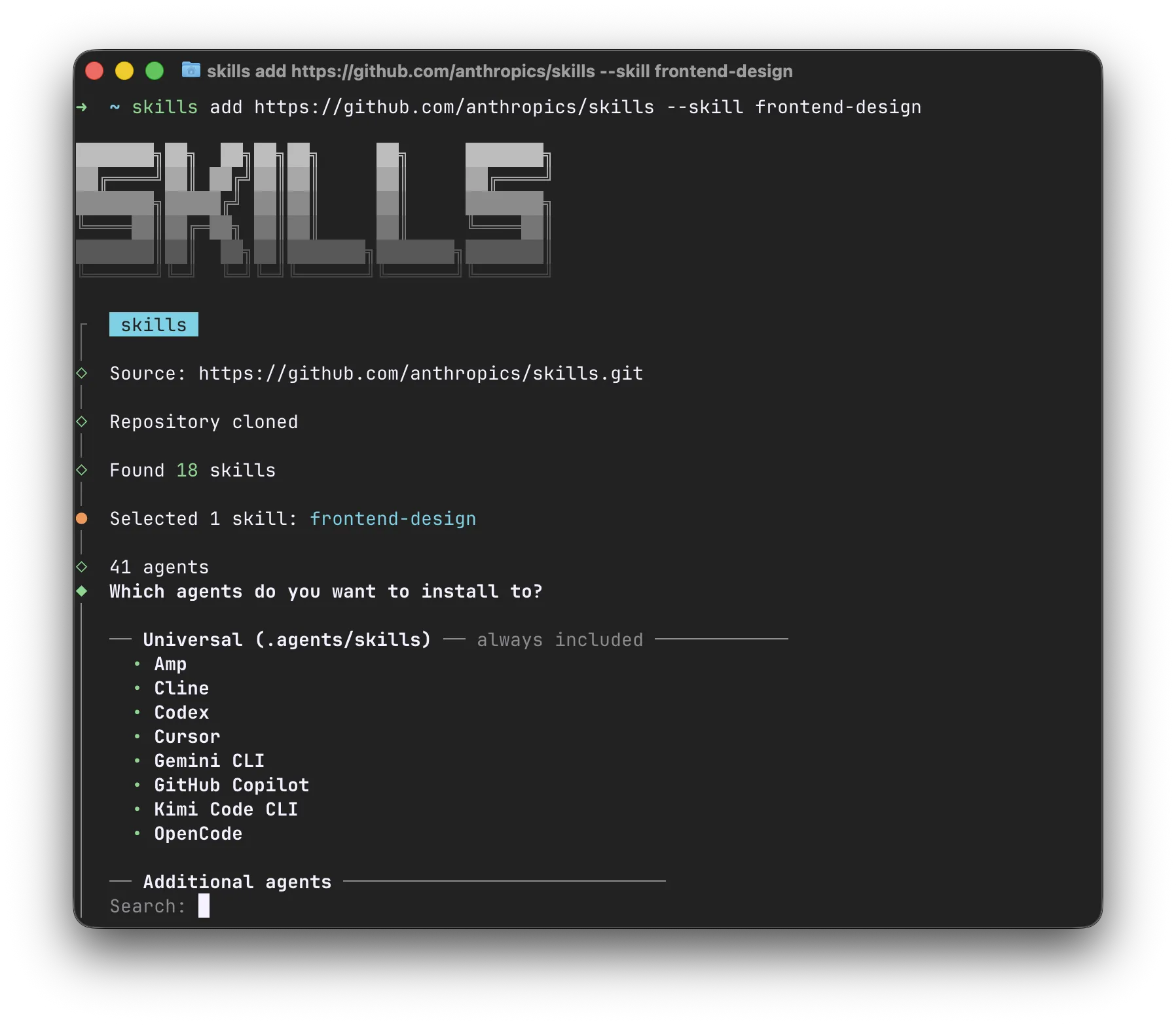
The [skills.sh](https://skills.sh/) directory is a good place to look for useful skills. The accompanying `npx skills` CLI installs them in the right format for 40+ agent harnesses, including Claude Code, Cursor, Amp, Codex, Gemini CLI, GitHub Copilot, and many more.
#### Skill repositories
[Section titled “Skill repositories”](#skill-repositories)
Many GitHub repositories collect useful skills, similar to the *Awesome X* lists. Companies also publish these repositories as part of their marketing, with skills that provide guidance for their products.
For example:
* [anthropics/skills](https://github.com/anthropics/skills) * Anthropic*
* [openai/skills](https://github.com/openai/skills) * OpenAI*
* [software-mansion-labs/skills](https://github.com/software-mansion-labs/skills) * Software Mansion*
* [GitHub Topic: agent-skills](https://github.com/topics/agent-skills)
### Skills are forkable and your own
[Section titled “Skills are forkable and your own”](#skills-are-forkable-and-your-own)
Skills are meant to be amended by you or your agent, so they fit your project, machine, and taste.
* Many harnesses have skills for creating new skills or updating/forking existing ones.
* Don’t be afraid to fork a third-party skill. If the “upstream” skill is updated, tell your agent to update your fork.
### Security considerations
[Section titled “Security considerations”](#security-considerations)
Before you try a new skill, always read its entire source and think about its security implications. Skills are a powerful mechanism partly because they can be insecure.
The surrounding ecosystem is still very young, and many skill-based attacks are happening in the wild. Be especially careful when updating third-party skills: you never know when an upstream repository has been compromised and an attacker has inserted prompt injections.
These writeups show how this can go wrong in practice:
* [Weaponizing Claude Skills with MedusaLocker](https://www.catonetworks.com/blog/cato-ctrl-weaponizing-claude-skills-with-medusalocker/) * Inga Cherny.* 2025-12-02. A seemingly harmless skill step in a GIF workflow was used to fetch and execute MedusaLocker ransomware. Even a reviewed skill can still hide second-stage execution.
* [Hidden Unicode Instructions in Skills](https://embracethered.com/blog/posts/2026/scary-agent-skills/) * Johann Rehberger.* 2026-02-11. Hidden Unicode Tag characters were used to smuggle invisible instructions into a skill. Visual source review alone may miss malicious behavior.
👏+1
…
## MCP
[Section titled “MCP”](#mcp)
MCP is a protocol through which AI applications can connect to data sources (local and remote), tools (applications and services), and workflows (like domain-specialized models). MCP servers add tools to your agent and extend its capabilities beyond the filesystem, bash commands, and web browsing.
MCP servers can run locally (like [`npx @playwright/mcp`](https://github.com/microsoft/playwright-mcp) ), which lets your agent interact with your local environment. They can also be remote HTTP-based servers, like [Linear MCP](https://linear.app/docs/mcp) , that connect your agent to remote services.
### Pros and cons
[Section titled “Pros and cons”](#pros-and-cons)
One advantage of MCP over CLIs and skills is authentication: you can connect to MCP services with API keys or OAuth through the UX provided by your harness.
The downside of MCP is that the specification requires harnesses to inject information about all MCP tools into the system prompt. This will sound less magical in future chapters, but in short, too many MCP servers will make your agent less capable and your harness slower to start. Claude Code is experimenting with lazy loading MCP tools, but this is still an unstable feature that is also not available elsewhere.
Another problem is that MCP tools are not easily composable. Agents are trained heavily on Bash, and they are excellent with piping, awk, or jq. They can’t use these tools on MCP outputs.
Tip
You can wrap any MCP server in a CLI via [mcporter](https://github.com/steipete/mcporter/) . For example, you can use this to wrap an MCP server into a Skill.
### What MCPs might I use?
[Section titled “What MCPs might I use?”](#what-mcps-might-i-use)
The current consensus is to use MCPs mostly for connecting to external services like Linear, Figma, Slack, or Sentry. A good starting point for seeing which popular MCPs are available is [GitHub MCP Registry](https://github.com/mcp) .
Some MCPs used to be popular, but now have more efficient alternatives in the form of CLIs or Skills. Examples include:
* [GitHub MCP](https://github.com/github/github-mcp-server) provides far too many tools and overloads the agent’s context. Models have great knowledge of the [`gh` CLI](https://cli.github.com/) and can do a lot with its JSON output and Bash pipelines.
* [Context7](https://context7.com/) can be effectively replaced with domain-dedicated skills akin to [vercel-react-best-practices](https://skills.sh/vercel-labs/agent-skills/vercel-react-best-practices) , or by documentation websites that support `Content: text/markdown` responses.
### Security considerations
[Section titled “Security considerations”](#security-considerations-1)
MCP servers have security considerations similar to those of Skills and any other CLI or remote service. You are unlikely to use many MCPs, and the ones most commonly used are access points to well-known services. In those cases, make sure your agents will not perform destructive actions on your behalf 🙂.
👏+1
…
## Subagents
[Section titled “Subagents”](#subagents)
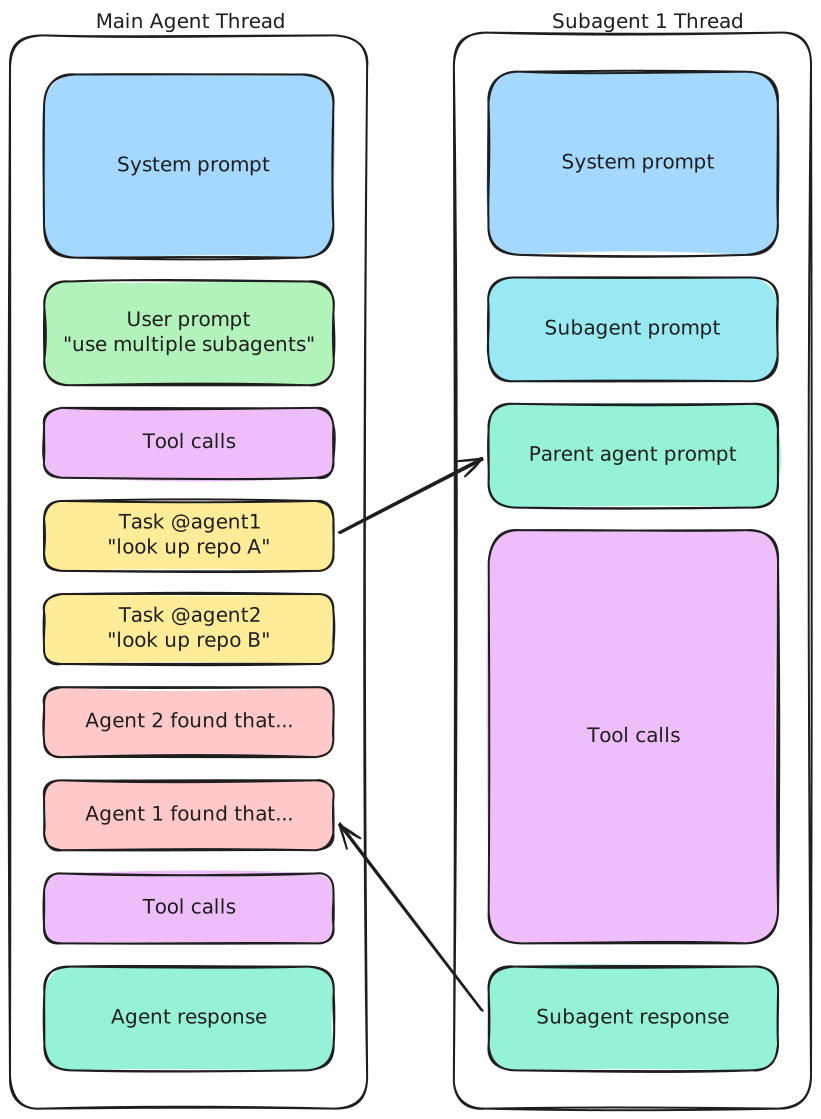
Subagents are extra agent runs that the main agent starts to handle a narrower piece of work. Their biggest advantage is not that they magically become a “database expert” or a “frontend engineer”. It is that they keep context separated.
This matters because long agent conversations degrade quickly. Exploration notes, false starts, and verbose tool output all compete with the actual task for attention. Offloading a bounded investigation to a subagent keeps the main thread smaller and gives you a cleaner final result.
Read more:
* [Create custom subagents - Claude Code Docs](https://code.claude.com/docs/en/sub-agents) * Anthropic*
* [Cursor Subagents](https://cursor.com/docs/subagents) * Cursor*
* [Codex Multi-agents](https://developers.openai.com/codex/multi-agent/) * OpenAI*
👏+1
…
## Hooks
[Section titled “Hooks”](#hooks)
Hooks are the part of the harness that runs deterministic logic around the agent. Different tools expose them differently, but the idea is the same: when something should happen every time, do not rely on the model to remember it.
Hooks are a better home for repetitive enforcement than `AGENTS.md`. Formatting code, running linters, asking for approval before sensitive commands, posting notifications, or opening a pull request are all examples of work that can often be attached to a well-placed hook.
A good hook reduces prompt clutter instead of adding to it. If the formatter succeeds, the agent usually does not need to hear about it. If a check fails, then the failure should come back with enough detail to guide the next step. This kind of back-pressure is useful because it keeps routine success paths out of the model’s way while still surfacing actionable problems. Written instructions should cover the cases that require judgment. Hooks should cover the cases that do not.
Read more:
* [Hooks reference - Claude Code Docs](https://code.claude.com/docs/en/hooks) * Anthropic*
* [Hooks Docs](https://cursor.com/docs/hooks) * Cursor*
👏+1
…
## When to use what
[Section titled “When to use what”](#when-to-use-what)
If you are unsure which mechanism to reach for, use this rule of thumb:
| Tool | Use it when |
| --------- | ------------------------------------------------------------------------------------------------------------------ |
| AGENTS.md | You constantly repeat specific lightweight information in your prompts. |
| Skills | You need reusable, named knowledge or workflows or for anything not covered by other tools. |
| MCP | You need authenticated access to an external service that you use very frequently. |
| Subagents | You can delegate a bounded or parallelizable task to keep the main thread smaller. |
| Hooks | You have deterministic, mechanical logic meant to happen every time without depending on the model to remember it. |
👏+1
…
# Legal & Compliance
> Legal and compliance risks of using coding agents with proprietary code, including data handling, licensing, contracts, and accountability.
While technical sandboxes prevent agents from wiping databases, they do not prevent legal and compliance catastrophes. As a software engineer, you must be aware that using AI agents introduces specific legal risks.
Important
What is acceptable depends on the company, the contract, the data involved, and the regulatory context. These risks should be evaluated for each professional engagement before agents are enabled or proprietary material is shared with a model. Always consult these concerns during onboarding.
## Data leaks and model training
[Section titled “Data leaks and model training”](#data-leaks-and-model-training)
One of the most immediate risks is sending sensitive data, API keys, personal data, or proprietary business logic to consumer-tier AI tools that retain prompts or use them for training.
Many consumer-facing products often have different retention and training terms than enterprise offerings. If protected material enters a model context without the right contractual and technical safeguards, that disclosure may violate confidentiality obligations or data-handling requirements. For example, if your agent leaks a proprietary algorithm into a model’s context, it could eventually be reproduced for a competitor.
Before using an agent, confirm what data may leave the environment, how prompts are stored, and whether the vendor terms satisfy the company’s requirements. Remember that a “do not collect my data” checkbox in settings is not the same level of legal security as an explicit zero data retention clause in terms of service.
👏+1
…
## Copyleft contamination – IP infringement
[Section titled “Copyleft contamination – IP infringement”](#copyleft-contamination--ip-infringement)
Another risk is introducing code with license obligations that conflict with the product or distribution model.
Coding agents are trained on massive amounts of public code, including strictly licensed open-source repositories (like GPL). Occasionally, an agent might perfectly regurgitate a block of copyleft code. If you blindly merge this into a closed-source, commercial codebase, it can create a “viral” license effect, legally compromising their entire product and opening you to lawsuits.
In practice, treat suspiciously polished or unusually specific output as a sign to slow down and verify provenance. Ask the agent to explain the implementation in its own words and run a code search if a snippet looks distinctive enough that it may have been copied from a public project.
👏+1
…
## Breach of contract and AI policies
[Section titled “Breach of contract and AI policies”](#breach-of-contract-and-ai-policies)
Many enterprises, especially in heavily regulated industries like fintech or healthcare, now include strict “No-AI” or “Approved-AI-Only” clauses in their contracts. Running an agent on a restricted project could be a direct breach of contract. Always ask your manager about your specific project’s AI policy before enabling an agent in that workspace.
👏+1
…
## Accountability
[Section titled “Accountability”](#accountability)
Agent-generated code does not shift legal or professional responsibility away from the engineer or organization that ships it. That is the primary difference between agentic engineering and vibecoding after all.
If an agent introduces a security flaw, or produces infringing code, accountability still sits with the humans who reviewed, approved, and deployed it. That is why human review, provenance checks, and enterprise-specific compliance validation remain essential even when the implementation work is heavily automated.
👏+1
…
# Prompting Techniques
> Practical prompting patterns for coding agents, from framing and execution guidance to multimodal input and walkthroughs.
Once you have a sensible workflow, the next question is how to interact with the agent within it. Good prompting is less about writing massive instructions and more about giving the right kind of guidance at the right time. With a good prompt, the agent can often find the right answers on its own.
This page collects tactics for different moments in engineering work.
## Clarify the task first
[Section titled “Clarify the task first”](#clarify-the-task-first)
Many prompting failures begin before the agent writes a single line of code. If the task is underspecified, framed too narrowly, or missing the right reference points, the agent may confidently optimize for the wrong thing. These techniques help you align on intent before execution begins.
### Frame first, then implement
[Section titled “Frame first, then implement”](#frame-first-then-implement)
If the task is vague, do not jump straight to architecture. First, ask the agent for a short framing brief covering the problem, desired outcome, non-goals, options, and open questions with owners.
A false certainty that the agent knows your intent is a common failure mode. Ask the agent to separate facts, assumptions, and preferences, then review whether its understanding is correct. You can include this snippet in your prompt:
```md
Interview me relentlessly about every aspect of this plan until we reach a
shared understanding. Walk down each branch of the design tree, resolving
dependencies between decisions one-by-one.
```
Source: [grill-me skill](https://github.com/mattpocock/skills/blob/main/skills/productivity/grill-me/SKILL.md) * Matt Pocock.* 2026-02-25.
### Socratic prompting
[Section titled “Socratic prompting”](#socratic-prompting)
TL;DR: Instead of giving the answer, ask questions that lead the agent to reach it on its own. Example: Rather than “The bug is in the condition,” ask “What are the assumptions?”, “Is this condition always true?”, and “What happens for the edge case?” The goal is to surface assumptions, check logic, and arrive at the conclusion through the agent’s own reasoning.
Source: [Prompting best practices](https://platform.claude.com/docs/en/resources/prompt-library/socratic-sage) * Anthropic*.
### Underprompting
[Section titled “Underprompting”](#underprompting)
Intentionally omit some element of the prompt so that:
1. The agent explores that area more thoroughly in its own way.
2. You can see what is missing in AGENTS.md, the codebase, or the docs based on what the agent tried to read.
### Document knowledge
[Section titled “Document knowledge”](#document-knowledge)
TL;DR: If a fact should survive a reset, handoff, or future task, ask the agent to write it into the repository instead of leaving it in chat. Treat `AGENTS.md` as a short map. Treat repository-local Markdown as the system of record.
This works well for architecture notes, domain terminology, debugging discoveries, migration constraints, and execution plans. A small, focused document is usually better than one giant instruction file. The goal is not “more docs”. The goal is making the right knowledge discoverable, versioned, and loadable on demand.
Sources:
* [Knowledge Document - Augmented Coding Patterns](https://lexler.github.io/augmented-coding-patterns/patterns/knowledge-document/) * Lada Kesseler.* 2025-10-20
* [Harness engineering: leveraging Codex in an agent-first world](https://openai.com/index/harness-engineering/) * OpenAI.* 2026-02-11
### Borrowing from other code
[Section titled “Borrowing from other code”](#borrowing-from-other-code)
If you know you are working on a problem that has been solved somewhere else, tell your agent to find and borrow the solution.
* If this is open-source code, you can tell it to clone it into `/tmp`.
* There is also [mcp.grep.app](https://mcp.grep.app/) if you are just looking for code snippets.
* Beware of legal (copyright) concerns!
Depending on the codebase, a useful pattern is to have several *golden* files that the agent can use as references.
* For example, if you have a component library, tell the agent to follow the implementation of the `ui/Button.tsx` component.
* If you are doing repetitive module refactoring, make the changes in one golden module, then ask the agent to reproduce them in other modules.
👏+1
…
## Steer the execution
[Section titled “Steer the execution”](#steer-the-execution)
Once the task is clear, the next job is to keep execution on useful rails without micromanaging every action. That does not require a human to watch every step. Much of this can be automated too.
### Red/green TDD
[Section titled “Red/green TDD”](#redgreen-tdd)
TL;DR: Write tests first, confirm they fail (red), then implement until they pass (green). This is a strong fit for coding agents because it reduces broken or unused code and builds a robust test suite.
Source: [Red/green TDD](https://simonwillison.net/guides/agentic-engineering-patterns/red-green-tdd/) * Simon Willison.* 2026-02-23.
### Knowledge checkpoint
[Section titled “Knowledge checkpoint”](#knowledge-checkpoint)
TL;DR: After planning but before implementation, checkpoint the plan in the repo and consider committing it. That preserves the expensive part, the planning and explanation, while making failed implementation attempts cheap to retry.
Ask the agent to extract the agreed plan into a short Markdown file, commit that file as a checkpoint, and only then start coding. If the implementation goes sideways, reset to the checkpoint and try again without redoing the planning work. This is especially useful when a model is overeager to jump straight into code before the plan is stable.
For example:
```md
We have the plan. Before you implement, write the agreed approach to a
short Markdown file in the repository. Keep it concise and action-oriented.
Then make a git commit as a checkpoint. Only after that, start implementation.
If the implementation attempt fails, reset to the checkpoint and try again from
the saved plan.
```
Source: [Knowledge Checkpoint - Augmented Coding Patterns](https://lexler.github.io/augmented-coding-patterns/patterns/knowledge-checkpoint/) * Lada Kesseler.* 2025-10-01.
### Parallel implementations
[Section titled “Parallel implementations”](#parallel-implementations)
TL;DR: When the task has multiple plausible solutions or a high chance of failure, branch from one checkpoint and let several implementations race in parallel. This works especially well when the work involves some degree of creativity, such as interface design.
The pattern is:
1. Create a checkpoint with the plan and a Git commit.
2. Fork into parallel workspaces, for example with Git worktrees. Alternatively, you can spawn multiple subagents and tell each one to write to a different file.
3. Launch multiple implementations from the same starting point.
4. Review the results side by side.
5. Keep the best version or combine the strongest parts.
Source: [Parallel Implementations - Augmented Coding Patterns](https://lexler.github.io/augmented-coding-patterns/patterns/parallel-implementations/) * Lada Kesseler.* 2025-10-01.
👏+1
…
## When text and code are not enough
[Section titled “When text and code are not enough”](#when-text-and-code-are-not-enough)
Sometimes the fastest way to explain a problem is not another painfully typed paragraph. Other forms of communication can be valuable too.
### Multimodal input
[Section titled “Multimodal input”](#multimodal-input)
Screenshot a bug or broken UI in your app. Or record a short video of something changing over time. Drop it into the prompt and say “fix it”. You can even add arrows and annotations in your screenshot tool. Frontier models handle multimodal input very well.
### Put a human in the loop
[Section titled “Put a human in the loop”](#put-a-human-in-the-loop)
Ask the agent to prepare a step-by-step reproduction of a complex manual flow: what to click, and in what order. You perform the steps, such as logging in to the browser with your account, report back, and the agent continues or verifies. Think of it as augmented manual QA: the agent scripts the scenario, and the human does the sensitive or interactive parts.
### Just talk to it
[Section titled “Just talk to it”](#just-talk-to-it)
If typing is tiring, you can use your voice instead. Some coding agents have built-in voice dictation features. Similar options are also built into operating systems, like [Dictation](https://support.apple.com/guide/mac-help/mh40584/mac) on macOS, [Voice Typing](https://support.microsoft.com/en-us/windows/use-voice-typing-to-talk-instead-of-type-on-your-pc-fec94565-c4bd-329d-e59a-af033fa5689f) on Windows, and many third-party apps for all platforms.
### Interactive playgrounds
[Section titled “Interactive playgrounds”](#interactive-playgrounds)
When exploring a new topic, prototyping an algorithm, or sketching a component, tell the agent to build an interactive playground. It can explain the concept visually and expose quick controls for fine-tuning parameters.
Take a look at these utilities:
* [Playground Claude Plugin](https://claude.com/plugins/playground) * Anthropic*
* [Introducing Showboat and Rodney, so agents can demo what they’ve built](https://simonwillison.net/2026/Feb/10/showboat-and-rodney/) * Simon Willison.* 2026-02-10
* [Feedback Loopable](https://ampcode.com/notes/feedback-loopable) * Lewis Metcalf.* 2026-02-05
👏+1
…
## Your exoskeleton
[Section titled “Your exoskeleton”](#your-exoskeleton)
Some prompting patterns are less about a single task and more about extending your reach as an engineer. They turn the agent into an exoskeleton around your normal workflow: surfacing understanding, handling mechanical work, and exploring unfamiliar systems.
### Walkthroughs
[Section titled “Walkthroughs”](#walkthroughs)
TL;DR: You can tell your agent to explain to you in human language what happens in the code, or you can ask it to help you review its work by showcasing it. Example prompt:
```md
Read the source and then plan a linear walkthrough of the code that explains how
it all works in detail. Then create a walkthrough.md file in the repo and build
the walkthrough in there, using Mermaid diagrams and commentary notes or whatever
you need. Include snippets of code you are talking about.
```
Sources:
* [Linear walkthroughs](https://simonwillison.net/guides/agentic-engineering-patterns/linear-walkthroughs/) * Simon Willison.* 2026-02-25
### Models are good at Git
[Section titled “Models are good at Git”](#models-are-good-at-git)
You can tell your agent:
1. To make a commit.
2. To create a branch/worktree or check out some repo to `/tmp`.
3. To submit a PR.
4. To merge/rebase and fix conflicts (make sure to back up, or ask the agent to use `git reflog` in bad scenarios).
5. To use the `gh` CLI to read issues/PR comments or GitHub Actions logs.
### Reverse engineer
[Section titled “Reverse engineer”](#reverse-engineer)
Agents are surprisingly good at reverse engineering apps. Minified or compiled code is not a major cognitive burden for them, and they know many useful tools in this area.
Try pointing your agent at a website or Android APK that contains something you want to mimic. At first, you may need to interactively install tools that the agent wants to use.
### Issue pinpointer
[Section titled “Issue pinpointer”](#issue-pinpointer)
Got a huge log file, maybe a screenshot, and need to identify the bug? Paste everything you have into your agent prompt and tell it to find the exact log lines itself.
👏+1
…
## Prompt across threads
[Section titled “Prompt across threads”](#prompt-across-threads)
### Hand off to a new thread
[Section titled “Hand off to a new thread”](#hand-off-to-a-new-thread)
Ask the current thread to create the next thread and write its first prompt. You can also tell the current thread to archive itself after the handoff.
```md
Hand this work off to a new thread in an isolated workspace on a fresh branch
for ISSUE-123.
Tell it to implement the retry approach we agreed on and include the relevant
evidence, constraints, and acceptance criteria in its prompt.
After the handoff succeeds, archive this thread.
```
### Queue work behind another thread
[Section titled “Queue work behind another thread”](#queue-work-behind-another-thread)
You can tell a thread to wait for another thread to finish, then continue with dependent work. Give it an observable completion condition and the next action. For longer chains, use a [Chief of Staff loop](./designing-loops/#chief-of-staff), where one manager thread watches workers and starts dependent work when it is ready.
```md
Wait until has shipped its pull request and archived itself.
Then inspect its final result, rebase this work on top of ISSUE-432, and continue.
Ask me before resolving any substantive design conflict.
```
👏+1
…
# Security
> High-level security model for coding agents, from the Lethal Trifecta to harness defenses and real-world prompt injection failures.
Security for coding agents is mostly about managing power, not eliminating it. The same capabilities that make an agent useful can also let it read sensitive data, follow malicious instructions, and do real damage when left unchecked.
This chapter introduces the main threat model behind coding agent security, shows how prompt injection failures happen in practice, and outlines the harness features that reduce the blast radius.
## The Lethal Trifecta
[Section titled “The Lethal Trifecta”](#the-lethal-trifecta)
This term was coined by Simon Willison in [The lethal trifecta for AI agents: private data, untrusted content, and external communication](https://simonwillison.net/2025/Jun/16/the-lethal-trifecta/) * Simon Willison.* 2025-06-16.
TL;DR: the dangerous setup is a single agent run that can do all three of these things:
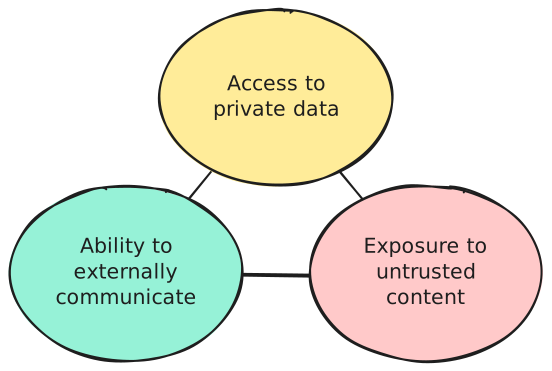
Giving an agent all three capabilities at once opens it up to a wide range of attacks. An attacker may be able to steal or modify your data. Let’s see what happens when you remove one side of this triangle:
1. **Reach private data**. If all the data the agent can access is already public, there is nothing to steal.
That does not mean the agent is safe, though. If inference costs are billed to you instead of the attacker, someone can still exploit your agent to do work for free.
For coding agents, it is usually impossible to break this side of the triangle. By definition, you are asking the agent to work with some form of private data, whether that is a proprietary codebase or your local machine.
2. **Read untrusted content**. An attacker needs a way to get malicious input into the agent’s context. If you carefully vet what goes into that context, you should be safe.
Untrusted prompts are only one case. Anything that enters the context can be malicious: a web search result, a grepped file, an MCP tool description, or a tool call response. This is also why [Skills](../harness-engineering#skills) can be dangerous. It is tempting to download someone else’s skill without reading it, and an attacker can exploit exactly that behavior.
3. **Communicate outward or take meaningful side effects**. Without this, the agent is effectively trapped inside a strict read-only sandbox.
While limiting side effects is manageable, preventing outward communication is surprisingly impractical. Many innocent-looking actions can become data exfiltration channels, including response messages, pasted beaconized links, or calls to tools that may themselves be compromised.
As you can see, coding agents are useful precisely because they satisfy the conditions of the Lethal Trifecta. That makes coding agent security a hard problem.
The final question is: **who is the attacker?** The surprising answer is that it is not always an external, evil hacker. In this model, the attacker can also be you or your colleague. Sometimes it is just a human doing something careless and unattended.
👏+1
…
## Cataclysms
[Section titled “Cataclysms”](#cataclysms)
Many interesting attacks have already happened in the wild. We have collected a few postmortems to show how damaging and creative prompt injection attacks can be. The failure modes differ, but the outcomes are similar: one agent run gets too much reach, and a bad action turns into a real incident.
* [Unauthorized Cline CLI npm publish](https://cline.bot/blog/post-mortem-unauthorized-cline-cli-npm) * Saoud Rizwan.* 2026-02-24. An attacker-controlled issue reached an AI-powered workflow with too much authority, which then escalated into cache poisoning and a malicious package publish.
* [How I Dropped Our Production Database and Now Pay 10% More for AWS](https://alexeyondata.substack.com/p/how-i-dropped-our-production-database) * Alexey Grigorev.* 2026-03-06. A Terraform command executed by an AI agent wiped production infrastructure, which is exactly the kind of cataclysm you get when an agent can act on real systems without enough guardrails.
* [GitHub MCP Exploited: Accessing private repositories via MCP](https://invariantlabs.ai/blog/mcp-github-vulnerability) * Marco Milanta and Luca Beurer-Kellner.* 2025-05-26. A malicious issue in a public repository coerced an agent into pulling data from private repositories and leaking it through an automatically opened pull request.
👏+1
…
## Agent Security Toolbelt
[Section titled “Agent Security Toolbelt”](#agent-security-toolbelt)
To reduce the chance of incidents like these, coding agent products usually use a permission-based security model. That means every potentially dangerous action requires explicit human approval or privilege escalation. This improves security while preserving capability, but it costs convenience. In a secure mode, you cannot leave an agent running unattended for long.
Consult your coding agent’s documentation for the exact security features it provides, because the details vary between products. For example:
* [Security - Claude Code Docs](https://code.claude.com/docs/en/security) * Anthropic*
* [Codex: Agent approvals & security](https://developers.openai.com/codex/agent-approvals-security) * OpenAI*
In broad strokes, these are the techniques that many products share:
### Permissions
[Section titled “Permissions”](#permissions)
Permissions are the human-in-the-loop part of the security model. They decide **when** the agent must stop and ask before taking an action that could modify data, spend money, reach the network, or trigger an external side effect.
In practice, that usually means reads are broadly allowed, while writes, shell commands, network calls, and destructive tool invocations require approval. Agents with permission systems may also let you approve an action once, allowlist a narrow command pattern, or switch between modes such as `read-only`, `on-request`, and `never ask again`.
Permissions are not a complete defense on their own. They are usually based on simple pattern matching, so effective policies often need broad allowlists rather than brittle blacklists. An agent blocked from calling `curl` might still work around that restriction by writing a Python script that does the same thing. This is why permission systems often create frustrating user experiences.
### Trusted workspaces
[Section titled “Trusted workspaces”](#trusted-workspaces)
Some agents implement a feature similar to what Visual Studio Code or IntelliJ calls **Trusted Workspaces**. This feature allows the agent to run inside the boundaries of a specific directory in a *safe mode*. In that mode, the agent may refuse to load potentially malicious configuration, such as project-level settings, skills, or hook definitions.
### Sandboxing
[Section titled “Sandboxing”](#sandboxing)
If permissions define **when** the agent may act, sandboxing defines **what it is technically capable of doing at all**. This is the hard boundary that constrains the agent even if the model becomes creative, confused, or outright compromised.
A good sandbox usually limits filesystem writes to the current workspace, keeps sensitive directories protected, and may restrict process spawning or outbound network traffic. The important distinction is that sandboxing is enforced by the runtime or operating system, not by the model politely following instructions. This makes it much harder for the agent to find creative workarounds. The downside is that a sandboxed agent might not integrate as well with your system. For example, it might be unable to inspect a browser tab.
### Limited network access
[Section titled “Limited network access”](#limited-network-access)
Many agent harnesses keep outbound networking disabled by default or require approval for networked tools.
Some products also use cached web search results by default instead of live browsing. This reduces exposure to prompt injection from arbitrary live content, but it does not make web content trustworthy.
This control works only when paired with sandboxing. Otherwise, the model can still bypass the restriction by reaching the network through some unrestricted command such as `curl`.
### Hooks
[Section titled “Hooks”](#hooks)
The [Hooks](../harness-engineering/#hooks) mechanism for programming agent harness capabilities is also useful for custom security mechanisms tailored to your project.
For example, you can write your own hook to block very specific Bash commands from running:

👏+1
…
## Do I need all of this?
[Section titled “Do I need all of this?”](#do-i-need-all-of-this)
All the security mechanisms described above can usually be turned off. This is often called **YOLO** mode. You can work this way if you are confident that you can trust your prompts and that your harness will not let the agent do harmful things. Think of it like living without antivirus software two decades ago.
If you are unsure about the security of your setup, start with the default protections. Then gradually tune them or disable the parts that are too annoying for your workflow.
👏+1
…
# The Workflow
> A baseline workflow for non-trivial agent tasks: brainstorm, plan, execute, review, and improve.
Let’s run a thought experiment and define a framework for efficient agent collaboration. You might ask: why? Because the goal is not just to memorize a recipe. It is to understand why things are structured this way so you can build your own understanding and experiment on your own. This matters because the framework we arrive at is a baseline, not a silver bullet.
So let’s start by defining what such a framework operates on.
## Threads and context
[Section titled “Threads and context”](#threads-and-context)
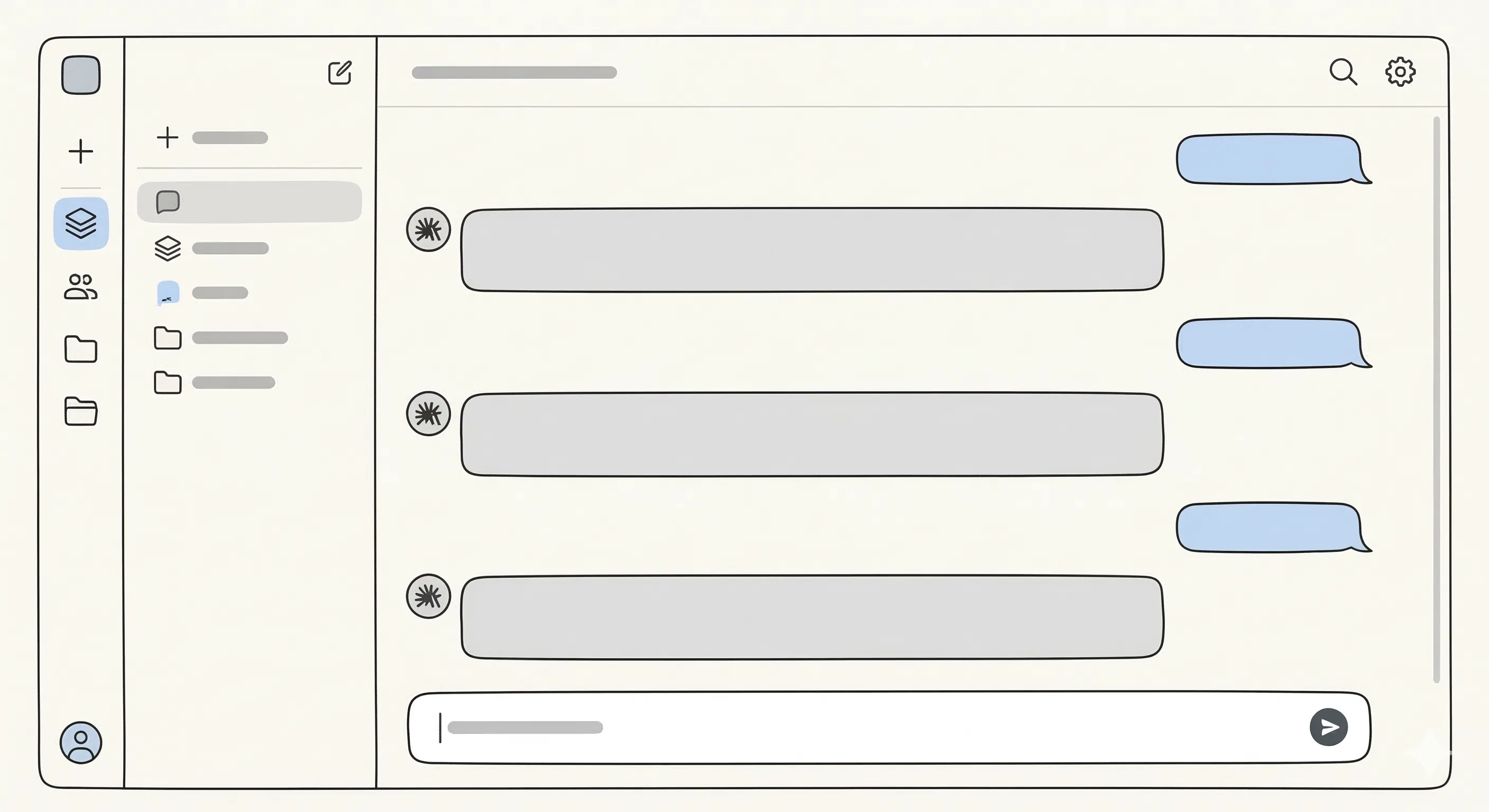
The primary unit of work with agents is a *thread*. In a nutshell, it is just a conversation between you and an agent. We go deeper into how threads are implemented in the [next chapter](/expanding-horizons/threads-context-and-caching/).
For each thread, we can reason about what the model knows at a given moment. This knowledge splits into two parts:
1. The information the model has been trained on. We call this **model knowledge**.
2. The entire contents of the current thread, all past messages within it, and the space for future ones. We call this **context**.
👏+1
…
## Obstacles
[Section titled “Obstacles”](#obstacles)
Now that we know the tool we are working with, let’s look at the biggest challenges we face when working with agents.
Source: [Augmented Coding Patterns](https://lexler.github.io/augmented-coding-patterns/talk/) * Lada Kesseler et al.* 2026-03-11.
### Knowledge cutoff
[Section titled “Knowledge cutoff”](#knowledge-cutoff)
The model’s built-in world knowledge is frozen at training time, so it can miss recent APIs, tools, and practices. It also knows nothing about your private codebase until you put that information into context.
### Agents cannot learn (yet)
[Section titled “Agents cannot learn (yet)”](#agents-cannot-learn-yet)
Models do not get better at your project just because you told them yesterday that a task should be done in a better way. What looks like memory is usually the coding agent replaying prior context. That means preferences disappear when the session resets or earlier instructions fade out. The same mistake can reappear, so durable improvement has to live in prompts, docs, lints, tests, and tooling rather than in the model itself.
### Context rot
[Section titled “Context rot”](#context-rot)
Context degrades as a thread grows, and earlier instructions gradually lose influence long before you hit the hard context window limit. The conversation can still feel productive while important guidance is already being ignored, weakened, or contradicted. Over time, long-running threads become less reliable and need resets, summaries, or checkpoints to stay sharp.
### Non-determinism
[Section titled “Non-determinism”](#non-determinism)
Agent outputs are not fully repeatable, so the same prompt can produce a strong result, a weaker one, or a wrong turn on a later retry.
### Human-model misalignment
[Section titled “Human-model misalignment”](#human-model-misalignment)
An agent can look aligned while silently building the wrong mental model of your intent. Because its reasoning is mostly hidden and it is trained to be helpful, it often complies with unclear or flawed instructions instead of pushing back. Left unchecked, the misunderstanding can stay invisible until the output breaks and you become frustrated.
### Context is a scarce resource
[Section titled “Context is a scarce resource”](#context-is-a-scarce-resource)
Context is limited twice: only so much information fits in the window, and the model can attend well to only so much of that information at once. As you load more code, rules, plans, and history, some of it must be dropped and the rest competes for attention, especially in large multi-step tasks. For that reason, broad, complex prompts often underperform smaller, focused ones even when the nominal context window is huge. This is also why the phrase “use small threads” is repeated like a mantra.
👏+1
…
## An ideal thread
[Section titled “An ideal thread”](#an-ideal-thread)
OK, so we know the tool, a **thread**, and we know the problems that come with it. In each *ideal* thread, we need to align the agent’s knowledge with our understanding and expectations. That means prepopulating the context with the right information. Each *ideal* thread also needs verification if we want satisfactory results. That means adding post-validation steps.
That suggests an *ideal* agent thread has an internal structure. It naturally breaks into several steps.
This is a baseline workflow for collaborating with coding agents effectively. Treat it as a default shape for substantial work, not as a rigid recipe. Depending on your intent, you can merge, shorten, or skip some phases.
1. **Plan** or **Brainstorm** - converse with an agent about how a task (or a part of it) can be done. The goal here is to gather information and collect it in one place. Or try *plan* mode and work out a solid implementation outline together. Talk to it and refine the plan until it’s 👌.
2. **Execute** - when your agent (not you!) knows how the task should be done, tell it to do it!
3. **Agent review** - many coding agents have built-in auto-review features. Try using them in the background so the agent spends time finding the stupid mistakes, while you spend time on more valuable work. We will discuss this in more detail [later on](../going-10x/#automated-code-reviews).
4. **Human review** - ultimately, you (a human) are responsible for the code. Invest time in reviewing it so that (a) you know what’s happening and (b) you won’t waste reviewers’ time.
Tip
* Most GUI or in-IDE coding agents provide rich diffs computed from model changes.
* You can use the Git staging area to mark already reviewed changes.
5. **Agent self-improvement** - talk to your agent: How can you both improve your workflow? What lessons can you learn from recent work? Perhaps some AGENTS.md rule or a new skill needs to be created?
Tip
* If you use Claude Code, try the `/insights` command.
* Use your coding agent’s memory feature (e.g., `/memory` in Claude Code, Memories in Cursor) to persist lessons learned across sessions.
* Try post-mortem diffs: ask the agent to compare its first attempt vs the final version and explain what it got wrong. Great for spotting recurring antipatterns.
👏+1
…
## Threads are composable
[Section titled “Threads are composable”](#threads-are-composable)
OK, so now we know how to structure work inside one thread. Are there any tricks for handling work across threads? Yes. Try to think of threads as composable entities. You can, and should, split work into multiple threads.
Most coding agents assign unique IDs to threads. You can use these IDs to resume past threads or to fork them or hand them off into new threads. Such forks can even be run in parallel. Some tools allow you to refer to past threads directly (for example `@Past Chat` in Cursor or `@@` in Amp).
If your coding agent of choice does not provide those conveniences, you can fall back to sharing context through plain Markdown files. For example, you can run several brainstorming sessions, each on a different topic, and produce summary `*.md` files as outputs. Then, in the execution thread, you *join* all of that information when priming the context.
👏+1
…
# What Not to Do
> Common anti-patterns when working with coding agents and how to avoid them.
Now that you know how to work with the agent, there are a few patterns you should avoid. They may feel natural, but they usually produce worse results.
Source: [Augmented Coding Patterns](https://lexler.github.io/augmented-coding-patterns/talk/) * Lada Kesseler et al.* 2026-03-11.
## Distraction
[Section titled “Distraction”](#distraction)
You may be tempted to give many responsibilities to an agent in a single thread, because that is how you would talk to a co-developer. Once they finish one task, they move to the next, then eventually make sure they finished everything you asked for. With agents, though, packing too many responsibilities into one thread spreads attention thin. Specialisation matters: the same ground rules work better when an agent only needs to track one concern.
**How to fix it:**
1. **Identify the single concern** — before writing the prompt, name the one thing this thread is responsible for.
2. **Open a new thread per concern** — lateral problems get their own threads.
3. **Prime the context for that concern only** — only load the files, rules, and background that are relevant to the task at hand. Everything else is noise that competes for attention.
👏+1
…
## Taking recall for granted
[Section titled “Taking recall for granted”](#taking-recall-for-granted)
We often expect the model’s recall to be imperfect for the data we provide, but we do not apply the same caution to the model’s training data. We should. Instead of relying on recall, confront the agent with the data.
**How to fix it:**
1. **Point to the source** — instead of asking the agent what a library does, tell it to read the documentation or the source code directly. Attach the relevant file or URL to the prompt.
2. **Try it out** — for less popular APIs, ask the agent to write a small test first and verify whether it works. You can give it a playground folder to experiment in.
3. **Write findings into the repository** — once the agent learns something worth keeping, be it a working pattern or factual knowledge, have it write it down in a Markdown file. Knowledge that lives in the codebase survives thread resets. Always remember that agents do not actually learn. They have to be presented with the information.
👏+1
…
## Stacking assumptions
[Section titled “Stacking assumptions”](#stacking-assumptions)
Without validating each step, the agent may build on unstated assumptions, and when something goes wrong, the wrong turn is several layers deep. It is the same as a human writing long batches of code without running it.
**How to fix it:**
1. **Set a short validation loop** — after each meaningful step, check the output before moving forward. You can have the agent do it.
2. **Make assumptions explicit** — when planning, ask the agent to list its assumptions before it starts. This is the time to correct them.
3. **Checkpoint before complexity** — at any point where the plan branches or grows, commit what you have.
👏+1
…
## Accepting silent compliance
[Section titled “Accepting silent compliance”](#accepting-silent-compliance)
Agents still tend to be too compliant. They try to give an answer that satisfies the user immediately. If your instruction does not make sense, or is ambiguous, the agent may not tell you. Instead, it may comply and generate code that fails.
**How to fix it:**
1. **Grant explicit permission to push back** — include a line in your prompt or `AGENTS.md` (`CLAUDE.md` if you use Claude Code) that tells the agent to raise concerns, ask clarifying questions, and flag contradictions rather than resolve them silently.
2. **Ask for a confidence check** — before execution, prompt the agent to state what it understood and whether anything is unclear.
3. **Look into the reasoning** — if the agent never hesitates on a complex task, that is a red flag—it probably made some unstated assumptions.
Tip
Put the push-back permission in `AGENTS.md` once and it applies to every thread, not just the ones where you remember to ask.
Tip
In Claude Code, you can use the brainstorm mode that automatically asks you clarifying questions, but at the expense of heightened token usage.
👏+1
…
## Running a thread until it rots
[Section titled “Running a thread until it rots”](#running-a-thread-until-it-rots)
Agents fare better with smaller context. When the conversation grows, so does the context. The agent does not learn anything; the entire conversation serves as its context each time. Most often, the information from the beginning of the conversation is no longer crucial, and it only makes it harder for the agent to concentrate on the task at hand. The reset is not expensive—continuing the current thread is.
**How to fix it:**
1. **Watch for degradation signals** — repeated mistakes the agent already fixed, ignored instructions, or outputs that feel slightly off are all signs the thread has run too long.
2. **Reset proactively, not reactively** — do not wait for something to break. When starting a new task, start a new thread.
3. **Summarise before closing** — before resetting, you can ask the agent to write a short summary of what was decided and what remains. Unless the rot is already significant, the summary should be a good starting point for the new thread.
Remember
Starting fresh is always cheaper than debugging a degraded thread.
👏+1
…
## Embedding your solution in the question
[Section titled “Embedding your solution in the question”](#embedding-your-solution-in-the-question)
Framing a prompt around your assumed solution narrows the search space before the agent has a chance to explore it. Even if you later decide to continue with your solution, first ask the agent how it would solve the problem without your suggestions. Maybe there is a better alternative.
**How to fix it:**
1. **Describe the problem, not the fix** — strip your assumed solution out of the prompt. State what you are trying to achieve and what constraints apply, then stop.
2. **Ask for options first** — instruct the agent to propose several approaches before picking one. Review the list and choose, or ask it to evaluate the trade-offs.
3. **Introduce your idea late, if at all** — if you have a strong preference, share it after the agent has explored the space. That way, you can compare rather than just confirm. The agent can also provide feedback on your solution and point to potential problems, but you have to ask for it. Agents are too nice on their own.
👏+1
…
## Treating the first attempt as final
[Section titled “Treating the first attempt as final”](#treating-the-first-attempt-as-final)
Remember that agents are not deterministic. Since the outputs on the same input differ, there is no guarantee that the first try yields the best answer.
**How to fix it:**
1. **Do a human review** — read the output critically before accepting it. If it is wrong in many places, it may be cheaper to ask for another attempt than to debug it.
2. **Iterate on weak spots** — when a separable part looks off, point it out and ask for another pass. A second attempt with targeted feedback is almost always better than the first without it.
3. **For high-stakes tasks, sample more than once** — run the same task in parallel branches and compare the results. The [parallel implementations](/becoming-productive/prompting-techniques/#parallel-implementations) pattern is built exactly for this.
👏+1
…
# Changelog
> Daily log of updates and new content added to the guide.
This page is updated automatically each night when new content is added to the guide.
## 2026-09-07
[Section titled “2026-09-07”](#2026-09-07)
**Prompting Techniques** — new section on coordinating work across multiple agent threads, including handoff patterns and work queuing strategies.
## 2026-08-24
[Section titled “2026-08-24”](#2026-08-24)
**Going 10x — Conflict management** — expanded guidance on parallel workspaces: cloud agents, Git worktrees, separate clones, and shared checkout tradeoffs with setup and editor tooling.
## 2026-08-06
[Section titled “2026-08-06”](#2026-08-06)
**Spec-Driven Development** — New guide on defining, managing, and enforcing solution spaces for AI agents with structured requirements, acceptance scenarios, and contracts.
## 2026-07-13
[Section titled “2026-07-13”](#2026-07-13)
**Designing Loops** — added concrete example of `/goal` command for supervised loops with PR submission workflow. **Prompting Techniques** — corrected external link to grill-me skill documentation.
## 2026-07-09
[Section titled “2026-07-09”](#2026-07-09)
**Designing Loops** — new chapter on moving from manual agent prompting to bounded loops with triggers, verification, and stop conditions. **Automated Code Reviews** — added adversarial review pattern and subsection on context quality and ownership.
## 2026-06-01
[Section titled “2026-06-01”](#2026-06-01)
**Vulnerability Research** — new section on using AI for security audits, from signal vs. noise to doing it yourself and integrating findings into CI workflows.
## 2026-05-08
[Section titled “2026-05-08”](#2026-05-08)
**Beyond coding** — New section on agentic workflows for issue triage, customer support, meeting notes, incident response, release notes, and dependency management.
## 2026-04-30
[Section titled “2026-04-30”](#2026-04-30)
**Page attribution system** — Added author metadata and bylines to all guide pages, pulled from git history and frontmatter. **Comprehensive copyedit** — Refined LLM-written sections across the guide for tone, clarity, and readability.
## 2026-04-28
[Section titled “2026-04-28”](#2026-04-28)
**Expanding Horizons: Evaluation** — New comprehensive guide to LLM evaluation covering metrics, model selection, and CI/CD integration for agentic workflows.
## 2026-04-21
[Section titled “2026-04-21”](#2026-04-21)
The changelog is live. Daily entries will appear here as content is added and updated.
# Autoresearch
> A pattern where a coding agent runs semi-autonomous experiments to discover performance improvements or other optimizations.
You’ve already seen how a closed feedback loop gives agents more autonomy: tests and scripts let them self-correct without waiting for you. Autoresearch takes that idea further. Instead of fixing one known problem, the agent explores a space of possible improvements, runs experiments, and keeps what works.
It works especially well for optimization tasks where the goal can be expressed as a number.
## How it works
[Section titled “How it works”](#how-it-works)
You give the agent two things:
* A **task description** — what to optimize, what constraints to respect, and what “success” means.
* A **benchmark script** — something the agent runs after each experiment to get a measurable result.
The agent then runs a loop: propose a change, apply it, measure it, keep it or revert it, repeat. Each experiment is isolated, so results stay interpretable.
👏+1
…
## Why it works
[Section titled “Why it works”](#why-it-works)
Three conditions make autoresearch effective:
* **A measurable goal.** “Make it faster” becomes actionable when the agent can run a script and read a number. Without a benchmark, there’s no feedback loop.
* **A robust test suite.** Tests let the agent discard changes that break correctness. Without them, the agent can’t safely move fast.
* **Isolated experiments.** Trying one change at a time keeps results interpretable. When everything changes at once, you can’t tell what worked.
These conditions are not limited to performance work. Autoresearch can help with any goal you can express as script output.
Read more:
* [karpathy/autoresearch](https://github.com/karpathy/autoresearch) * Andrej Karpathy.* 2026-03-06
* [Shopify/liquid: Performance: 53% faster parse+render, 61% fewer allocations](https://simonwillison.net/2026/Mar/13/liquid/) * Simon Willison.* 2026-03-13
👏+1
…
# Beyond coding
> Agents aren't limited to writing code. This page covers the soft side of project work — issue triage, customer support, observability, meeting notes, and more.
The previous sections focused on agents writing, reviewing, and shipping code. However, there are a lot of actions involved in building a software project that is not coding itself, like triaging issues, answering support questions, synthesizing meeting notes or reacting to issues. Agents can also be of help in these, assumed they are given good context and their replies are verified.
## Issue triage
[Section titled “Issue triage”](#issue-triage)
Incoming issues accumulate fast and not every one of them can be treated the same. The engineer needs to decide which are duplicates, which are actionable, and which require more information. Because of these patterns, handling the triage of issues can be delegated to an agent.
A triage agent connected to your issue tracker can:
* Tag and label issues automatically based on title and description
* Identify duplicates and link them to existing reports
* Ask clarifying questions in a comment before routing to a team member
* Prioritize by severity, user impact, or affected component
For example, OpenAI uses scheduled triage automations for exactly this, as covered in the [High-level harnesses](/expanding-horizons/high-level-harnesses/) chapter. The agent runs on a fixed schedule, processes new issues, and only escalates what really needs a human decision.
👏+1
…
## Customer support
[Section titled “Customer support”](#customer-support)
Most often, customers ask what has already been asked before, so support queues are repetitive and high-volume. Most of the incoming tickets can be handled by an agent provided with documentation, changelogs and previously resolved tickets.
Agents easily handle “how do I…” questions, drafting responses to common error messages or translating tickets into bug reports for engineers.
However, LLMs don’t like to admit that they don’t know something. Their goal is to provide an answer that *seems* plausible, but not always is. Therefore, it is important to include **reflection** in the agent’s workflow, like asking it “Does the documentation provide enough information for the user’s question?”.
If the agent cannot solve the issue, it should escalate it to the person in charge. To make the process easier, the agent can be asked to extract reproduction steps from the user’s problem.
Caution
Do not let a support agent close tickets autonomously, at least not without any possibility of appeal. A closed ticket a customer considers unresolved is worse than a slow response.
👏+1
…
## Meeting notes and action items
[Section titled “Meeting notes and action items”](#meeting-notes-and-action-items)
Meetings usually produce commitments that are woth remembering. Unless there is a person delegated to track them, some can be forgot. Agents connected to transcription services can analyze what was said and come up with a doc on relevant issues.
A typical setup:
1. A transcription tool produces a raw transcript.
2. An agent reads the transcript and extracts: decisions made, open questions, and action items with owners.
3. The output lands in a shared doc, a project management tool, or as comments on relevant issues.
The agent can handle these right after the meeting and is less prone to omit something in a noisy transcript than a person skimming it some days later.
Agents work best here when the meeting has a clear structure, more creative discussions can be harder to sum-up, as they hold value in their entirety.
👏+1
…
## Observability and incident response
[Section titled “Observability and incident response”](#observability-and-incident-response)
Production incidents are time-sensitive and require pulling context from many places at once: error logs, stack traces, recent deployments, related tickets. Agents can do a significant share of this triage automatically, as soon as the notification happens.
Agents wired into the observability loop can:
* Read a stack trace, search the codebase for the relevant code path, identify the root cause, and propose a fix
* Summarize the scope (“these three endpoints regressed after this PR”)
* Correlate errors with recent commits and flag the likely culprit
* Annotate alerts with human-readable explanations, not just threshold values
The engineer still reviews and approves changes, but the expensive initial investigation steps that they would perform anyways happens automatically.
You can also decide to gradually give the agents authority and have them prepare fix PRs. The process can be performed by the triage agent itself or delegated to a coding agent with the necessary context. An example of such functionality is the [Autofix](https://docs.sentry.io/product/ai-in-sentry/seer/autofix/) * Sentry*.
👏+1
…
## Release notes and changelogs
[Section titled “Release notes and changelogs”](#release-notes-and-changelogs)
Writing release notes is easy to skip and hard to do well under deadline. Agents can generate a draft from merged PRs and commit messages, filtered and grouped by audience, which you can later refine.
In order for this to work, the PR titles and descriptions should be written consistently. It’s good to include a template of what a release note should contain (for older projects, previous release notes can be used as examples) and specify the audience.
The result usually needs editing, but it is still faster than writing from scratch.
👏+1
…
## Dependency and security hygiene
[Section titled “Dependency and security hygiene”](#dependency-and-security-hygiene)
Larger projects can contain lots of dependencies, and keeping them up to date is often troublesome. An agent can review whether a major-version update is safe given your actual usage of the library before you spend time on it. Security scanners can be wired to an agent that triages CVEs and drafts upgrade paths.
* [Securing your supply chain](https://docs.github.com/en/code-security/dependabot) * GitHub*
* [Renovate](https://docs.renovatebot.com/) * Mend.io*
* [Snyk](https://snyk.io/)
* [Socket](https://socket.dev/)
👏+1
…
# High-level harnesses
> Beyond individual agent sessions — scheduled automations, parallel agent fleets, and the emerging pattern of AI-driven code pipelines.
The [harness engineering](/becoming-productive/harness-engineering/) chapter covered shaping a single agent’s actions through AGENTS.md, skills, hooks, and subagents. This page moves one level up: tools and patterns that treat agents as a manageable workforce.
## From engineering to managing
[Section titled “From engineering to managing”](#from-engineering-to-managing)
So far in this guide, you have been an **engineer** — you have worked interactively with a single agent, steering it turn by turn in real time. Now, you will become a **manager**, delegating work to a fleet of agents running in parallel. Instead of supervising each agent individually, you will manage the output queue — a review inbox, an issue tracker, a PR pipeline. Your coding assistant is no longer a conductor, but an orchestrator.
Remember
The shift is from “what should the agent do?” to “what work should be running right now, and how do I review what came back?”
👏+1
…
## Running agents in parallel
[Section titled “Running agents in parallel”](#running-agents-in-parallel)
The difference is that several agents run at the same time, each on an isolated task. You hand different issues to separate agents, come back to review their work, and merge the results you like. That is qualitatively different from the sequential, one-task-at-a-time conductor workflow from the previous chapters.
[Subagents](/becoming-productive/harness-engineering/#subagents) are also parallel, but they work differently: a subagent is spawned **by the agent** to partition a single task’s context. The agent decides when to spawn one, waits for the result, and folds it back into its own session. You as the human still trigger one top-level session and review one result.
The model here is different: **you** spawn multiple fully independent agent sessions, each assigned to a separate task. No session knows about the others. You do not need to wait for any single agent — you come back later and review the queue of results in bulk.
In practice, each agent needs its own isolated workspace — typically a separate Git worktree — so their changes do not interfere. A dashboard or queue then surfaces results as agents finish, letting you review and merge at your own pace.
For example, [Conductor](https://conductor.build/) * Melty Labs* is a tool built around this model, running multiple AI coding agents (Claude Code and Codex) in parallel worktrees with a shared review dashboard.
👏+1
…
## Scheduled and recurring agents
[Section titled “Scheduled and recurring agents”](#scheduled-and-recurring-agents)
Agents do not always need to wait for you to trigger them. You can set them up in advance to run on a schedule. The pattern is similar to a cron job or a CI pipeline: describe a recurring task, define when it should run, and have an agent execute it in the background. Results land in a review inbox or are auto-archived if nothing needs attention.
This is well-suited for tasks like:
* Daily issue triage
* Surfacing and summarizing CI failures
* Generating release briefs
* Checking for regressions between versions
With scheduled agents, the process becomes closer to a CI pipeline than a chat window. An agent is no longer just a tool you reach for, but a background process.
Example application features built around this pattern:
* [Automations in Codex app](https://developers.openai.com/codex/app/automations) * OpenAI*
* [Schedule recurring tasks in Cowork](https://support.claude.com/en/articles/13854387-schedule-recurring-tasks-in-cowork) * Anthropic*
* [Cloud Agents Automations](https://cursor.com/docs/cloud-agent/automations) * Cursor*
👏+1
…
## Issue-tracker-driven orchestration
[Section titled “Issue-tracker-driven orchestration”](#issue-tracker-driven-orchestration)
Scheduled agents can also be wired directly to your issue tracker. Instead of manually assigning tasks to agents, the system monitors a board and automatically spawns an agent for each new issue in scope. Engineers decide what issues belong in scope; the orchestrator handles assignment and execution.
Agent behavior can be defined in a workflow file versioned alongside the code — the same way you version a CI pipeline. When an agent finishes, it gathers evidence (CI results, PR review feedback, complexity analysis) for human review.
For example, [Symphony](https://github.com/openai/symphony) * OpenAI* is an open-source orchestration service built around this pattern, monitoring a Linear board and running a Codex agent per issue in an isolated workspace.
Tip
Issue-tracker-driven orchestration works best on codebases that have adopted [harness engineering](/becoming-productive/harness-engineering/).
👏+1
…
## Agent communication
[Section titled “Agent communication”](#agent-communication)
Running multiple agents in parallel can create coordination problems. Agents need to exchange information without overloading any one context window. Two broad patterns have emerged.
The simpler one is **hub-and-spoke orchestration**, where a lead agent spawns workers, collects their outputs, and consolidates them. Workers never communicate directly. The benefit is simplicity: the full picture is in one place. The cost is that every intermediate result, log line, and failed attempt flows back through the orchestrator’s context, degrading its reasoning quality over time.
The more capable pattern is **collaborative teaming**, where agents share a task list, claim work independently, and can send messages directly to one another. A worker can flag a dependency, request a peer review, or broadcast a finding without routing it through the lead. The lead’s context stays cleaner because coordination happens at the edges.
In practice, most pipelines fall somewhere on a spectrum between these extremes, often organized into three levels:
1. **Isolated workers** — each agent runs independently and returns its output to the caller.
2. **Orchestrated workflows** — outputs become inputs for the next stage via shared files or aggregated results.
3. **Collaborative teams** — agents share a task graph, can send direct or broadcast messages, and notify the lead when work completes.
The right level depends on how tightly coupled the tasks are. Independent parallel tasks — security scans, test runs, lint checks — fit level 1 or 2 well. Tasks that need to challenge or build on each other’s intermediate findings call for level 3.
For reference, [Claude Code Agent Teams](https://code.claude.com/docs/en/agent-teams) * Anthropic* implements level 3 with a shared task list, file-locked claiming, mailboxes for direct and broadcast messages, and idle notifications back to the lead.
👏+1
…
## Code factories
[Section titled “Code factories”](#code-factories)
Beyond specific products, one pattern is known as the **Code Factory**. In this setup, agents autonomously write code and open pull requests, while a separate review agent validates those PRs with machine-verifiable evidence. If validation passes, the PR merges without human intervention.
The continuous loop looks like this:
1. Agent writes code and opens a PR.
2. Risk-aware CI gates check the change.
3. A review agent inspects the PR and collects evidence — screenshots, test results, static analysis.
4. If all checks pass, the PR lands automatically.
5. If anything fails, the agent retries or flags the issue for human review.
Caution
A Code Factory is only as good as its quality gates. An automated pipeline that merges bad PRs is strictly worse than one that does nothing. Invest in solid tests, linters, and CI before automating the merge step.
* [AddyOsmani.com - The Factory Model: How Coding Agents Changed Software Engineering](https://addyosmani.com/blog/factory-model/)
👏+1
…
## One-human companies
[Section titled “One-human companies”](#one-human-companies)
The code factory pattern is the technical foundation of a broader idea: a single person with a well-configured agent fleet can operate at a scale that previously required a full engineering team.
This requires connecting agents to communication platforms, scheduling systems, and external services. A single machine becomes an always-on runtime that responds to messages, executes tasks, and ships work continuously. As an example of tooling in this space, [OpenClaw](https://openclaw.ai/) * Peter Steinberger* packages infrastructure for exactly this kind of setup.
In [From IDEs to AI Agents with Steve Yegge](https://newsletter.pragmaticengineer.com/p/from-ides-to-ai-agents-with-steve) * Gergely Orosz*, Yegge argues that the engineering profession is reorganizing around exactly this spectrum. His framing is that most engineers are at the low end of AI adoption today, and those who stay there risk being outcompeted by engineers who learn to orchestrate agent fleets — acting as owners of work queues rather than writers of individual functions.
👏+1
…
# Evaluation
> Learn how to evaluate LLM performance for agentic workflows using benchmarks, custom evals, and real-world testing.
Traditional software testing relies on deterministic outputs where `assert response == "expected"` works every time. With LLMs, this approach breaks down because the same prompt can produce slightly different, yet equally valid, results.
The most common trap in agentic development is the “vibe check” dilemma. This happens when developers manually test a few prompts, see a good result, and assume the system is production-ready. However, small prompt changes or model updates can introduce regressions. An evaluation pipeline is what turns “playing with AI” into “engineering AI systems.”
## Metrics: How to Measure “Good”
[Section titled “Metrics: How to Measure “Good””](#metrics-how-to-measure-good)
Because LLM outputs are non-deterministic, you cannot rely on a single boolean check. Instead, you should build a tiered evaluation system that uses different types of metrics to measure success.
### Deterministic Metrics
[Section titled “Deterministic Metrics”](#deterministic-metrics)
These are the fastest, cheapest, and most objective checks. They work best for technical constraints and structured outputs where the rules are clear.
* **Regex and keyword checks:** Ensure specific mandatory terms are present or forbidden “hallucinated” terms are absent.
* **Format validation:** Use tools to verify that the model produced a valid, parsable JSON object or Markdown structure that matches your expected schema.
### Semantic Similarity
[Section titled “Semantic Similarity”](#semantic-similarity)
When your output is natural language, exact matching is too restrictive. This approach compares the meaning of the model’s output against a reference answer rather than just looking at the literal characters.
* **Meaning-based matching:** It checks whether the model’s response is “close enough” in intent, even if it uses different wording or sentence structure.
* **Continuous scoring:** Instead of a binary pass/fail result, you get a similarity score that allows for granular analysis of performance trends over time.
* **Efficiency:** This gives you a middle ground that is faster and cheaper than using an LLM-as-a-judge while being more flexible than deterministic checks.
### LLM-as-a-Judge
[Section titled “LLM-as-a-Judge”](#llm-as-a-judge)
In this case, you can use a superior “frontier” model (e.g., GPT-5.5 or Claude Opus 4.7) to grade a smaller, faster model.
* **Rubric-based scoring:** You provide the “judge” with the model’s output and a specific set of criteria, such as “Score this summary from 1-5 based on factual density.”
* **Scalability:** This allows you to evaluate thousands of responses in minutes. While it adds token costs, it captures nuances like tone, sentiment, and reasoning that simple scripts miss.
* **Reference comparison:** The judge can compare the model’s output against a golden dataset to see if the core meaning remains intact despite different wording.
### Human Evaluation
[Section titled “Human Evaluation”](#human-evaluation)
Despite the rise of automated “judges,” human review remains the ultimate benchmark for quality, especially in high-stakes domains like legal, medical, or complex technical tasks.
* **The “ground truth” creator:** Humans are typically responsible for creating the initial high-quality datasets that automated systems use for comparison, also known as golden datasets.
* **Feedback:** Real users can also rank your model’s responses.
👏+1
…
## Model selection through evaluation
[Section titled “Model selection through evaluation”](#model-selection-through-evaluation)
Model selection is the process of choosing the best candidate for a specific job based on empirical data rather than marketing claims. An effective selection process uses your evaluation pipeline to find the most efficient model for each sub-task in your agentic system.
### Defining task-specific benchmarks
[Section titled “Defining task-specific benchmarks”](#defining-task-specific-benchmarks)
General benchmarks are useful for broad comparisons, but they rarely reflect the specific domain of your application. You should create a test suite that directly mirrors your production tasks, such as “triage of customer messages” or “extraction of data from legacy PDF documents.” A model that ranks first on coding benchmarks might perform poorly on nuanced sentiment analysis or specialized legal reasoning.
### Side-by-side (A/B) testing
[Section titled “Side-by-side (A/B) testing”](#side-by-side-ab-testing)
The most reliable way to compare models is by running them against a **Golden Dataset**. A Golden Dataset is a curated collection of 20–50 high-quality input/output pairs that represent the core edge cases and requirements of your application. By running the same dataset across multiple candidates, such as frontier models (GPT-5.5, Claude Opus 4.7) and lightweight alternatives (Gemini 3.1 Flash-Lite), you can see exactly where each model succeeds or fails.
### The efficiency frontier
[Section titled “The efficiency frontier”](#the-efficiency-frontier)
You can map candidate models on a three-axis grid of **Quality**, **Cost**, and **Latency**. This visualization helps identify the “sweet spot” for your specific business requirements. For example, a customer-facing chatbot might prioritize low latency and cost, whereas an automated security audit agent must prioritize exhaustive reasoning and absolute precision, even if it results in significantly higher latency.
### Data-driven downsizing
[Section titled “Data-driven downsizing”](#data-driven-downsizing)
Evaluation scores provide the evidence needed to move from premium models to cheaper, faster alternatives. You can use your benchmarks to prove whether a lightweight model can match 95% or more of a premium model’s performance for your specific use case. This “data-driven downsizing” is often the largest optimization you can make to your system’s operational cost.
👏+1
…
## Evaluation as quality gate
[Section titled “Evaluation as quality gate”](#evaluation-as-quality-gate)
To maintain long-term reliability, evaluation must be moved out of local notebooks and into your continuous integration pipeline. Treating evals as unit tests ensures that every change to your prompts or model selection is validated before it hits production.
### Automating the pipeline
[Section titled “Automating the pipeline”](#automating-the-pipeline)
You should integrate your evaluation scripts into GitHub Actions, GitLab CI, or any other automation tool you use. Every time a pull request is opened, the CI environment should run your **Golden Dataset** against the new version of your system. This automation removes the human bottleneck and prevents “vibe-based” deployments.
You can use tools like [promptfoo](https://promptfoo.dev/) * Ian Webster* for this task.
### Setting performance thresholds
[Section titled “Setting performance thresholds”](#setting-performance-thresholds)
A “passing” build in agentic engineering is defined by meeting a specific quality threshold. For example, you might define a failing build as one where the average “LLM-as-a-Judge” score drops by more than 5% compared to the main branch. By setting these guardrails, you ensure that performance never silently degrades over time.
### Regression testing
[Section titled “Regression testing”](#regression-testing)
The most difficult bugs to catch are those where fixing an issue for one user breaks the experience for another. Comprehensive evaluation allows you to run regression tests across your entire dataset. If a prompt change fixes a tool-calling error in one scenario but causes a hallucination in three others, your evaluation pipeline will catch it immediately. This systematic approach is how you build agentic systems that scale without collapsing under their own complexity.
👏+1
…
# Model pricing
> A concise guide to coding model pricing, including API costs, caching, and subscription tradeoffs.
AI tools usually price usage in one of two ways: API pricing, where you pay per token, and app subscriptions, where you pay a flat monthly fee with usage limits.
## API pricing
[Section titled “API pricing”](#api-pricing)
Price trackers like [models.dev](https://models.dev/) and [llm-prices.com](https://www.llm-prices.com/) usually show these fields:
* **Input cost**: what you pay for non-cached input tokens sent to the model.
* **Output cost**: what you pay for tokens generated by the model.
* **Cache write cost**: what you pay when the provider stores a prompt prefix in cache (so it can be reused later).
* **Cache read cost**: what you pay when later requests reuse that cached prefix.
Simple mental model:
```plaintext
total cost = input + output + cache write + cache read
```
If you’re integrating directly with an LLM API, lowering cost per request or session mostly means cutting the most expensive token categories:
* Keep prompts stable at the top (system prompt, tool definitions, long instructions) to maximize cache hits.
* Move dynamic parts (timestamps, random IDs, volatile context) lower in the prompt so they don’t invalidate the cached prefix.
* Cap output length when possible (`max_tokens` / equivalent).
* Keep threads compact. Good cache hit rates help, but each turn still adds some uncached tail tokens, and cache entries can expire or be pruned over long sessions.
If you’re using a coding agent, many of these optimizations are handled internally, including prompt layout, caching, and compaction. Your main cost levers are usually model choice and keeping tasks and threads scoped.
👏+1
…
## Subscriptions
[Section titled “Subscriptions”](#subscriptions)
Subscriptions are different from API billing. You pay a monthly fee for usage inside a product, usually with fair-use limits or soft or hard caps. These plans do not include raw API credits for your own apps.
For most people, this is the cheapest way to get heavy day-to-day usage. The effective subscription-to-API ratio can swing a lot as vendors change limits, model mixes, and pricing.
Common subscription options:
* [ChatGPT Subscription](https://openai.com/chatgpt/pricing/)
* [Claude Subscription](https://claude.com/pricing)
* [Cursor Subscription](https://cursor.com/pricing)
* [Factory Subscription](https://factory.ai/pricing)
* [Opencode Go](https://opencode.ai/docs/go/)
👏+1
…
## Language choice and token cost
[Section titled “Language choice and token cost”](#language-choice-and-token-cost)
Token counts vary significantly by language. Polish, for example, requires roughly 40% more tokens than English for equivalent content — you can verify this yourself with [Tiktokenizer](https://tiktokenizer.vercel.app/) .
| Text | Tokens |
| ------------------------------------------------------------------------------------------------------------------------------------------- | ------ |
| *”Jestem Adam i sprawdzam, ile tokenów potrzeba do zapisania tego tekstu. Czy język polski faktycznie wymaga ich więcej niż angielski?“* | 38 |
| *”My name is Adam, and I’m checking how many tokens are needed to write this text. Does Polish actually require more tokens than English?“* | 27 |
This is worth keeping in mind if you work in a non-English language. More tokens means higher cost and slower inference at scale.
This is also a good place to debunk a myth that spread in Polish media in early 2025. Several articles claimed that Polish is the “best language for AI”, citing a real paper: [One ruler to measure them all: Benchmarking multilingual long-context language models](https://arxiv.org/pdf/2503.01996) * Alveera Ahsan et al..* 2025-03-03. Marzena Karpińska from Microsoft, a co-author of the paper, addressed this directly:
> No. We didn’t study that at all. We created a tool for diagnosing language models, checking how well they are able to extract information from very long texts.
A neat example of a fake news cycle born from real research, likely fueled by misunderstood patriotism.
👏+1
…
# Spec-Driven Development
> Discover how to define, manage, and enforce a solution space for your AI agents.
### Target Audience
[Section titled “Target Audience”](#target-audience)
* Vibecoders
* Software Engineers
***
## Playing the Long Game
[Section titled “Playing the Long Game”](#playing-the-long-game)
Creating a successful product in the age of LLMs has shifted focus from implementation toward deciding what to build. Choosing or modifying a list of high-level requirements and delivering fast plays a critical role in determining whether a product succeeds.
Meanwhile, the market has grown far more competitive. Almost all low-hanging fruit has been picked. Finding potentially profitable project opportunities is harder, and your project development strategy needs to be optimized for the long game.
Spec-Driven Development introduces a certain initial overhead, but promises a more optimized approach over the long run. The purpose of Spec-Driven Development is to place requirements at the center of development — defining, managing, and building loops and pipelines around them while AI agents do the rest.
Consider the product development strategy below. Notice that after finding an opportunity, requirements play the critical role.

👏+1
…
## Navigating the Multidimensional Space
[Section titled “Navigating the Multidimensional Space”](#navigating-the-multidimensional-space)
Imagine you suddenly wake up in outer space, but there are more than three dimensions. You have a limited food and oxygen supply (money and time). Do you decide consciously, or do you let the Force guide you? Unless you have Jedi powers, you better channel your inner Ryland Grace and start sciencing your way through the problem. Here’s what I’d do:
1. **Identify dimensions** — how many dimensions are there? 3, 4, 20? How do you move in those dimensions? Are those dimensions coupled? Are there any traps? (understanding the domain, available resources, legal constraints, technical constraints).
2. **Define what you want to find** — life? a planet to live on? what is your mission? (building access to users, maximizing profits).
3. **Narrow down the search area** — search relatively close to stars. (defining requirements, setting scope boundaries)
4. **Explore the space** — find candidates. What is the best candidate? (creating 1–3 prototypes with different trade-offs)
5. **Choose the best candidate and commit** — choose a planet and land there (refining the solution).
Searching for a new product resembles navigating a multidimensional space. Your job is to narrow down the space and prepare your AI agent to land.
### Multiverse
[Section titled “Multiverse”](#multiverse)
A complex product rarely exists as a single, isolated universe. It operates within a multiverse. Major features, external integrations, and subsystems each form their own distinct universes, connected by portals ([contracts](#contracts)).
Meanwhile, cross-cutting concerns like security, logging, and error handling act as universal laws governing every realm in the system. And eventually, you have to open portals to the outside world for external visitors… some of whom will inevitably be hostile.
👏+1
…
## Why Agents Play It Safe (or Break Everything)
[Section titled “Why Agents Play It Safe (or Break Everything)”](#why-agents-play-it-safe-or-break-everything)
It’s easy to tell an agent to fly somewhere (generate the code), but AI agents lose memory every time they go to “sleep” (when you start a new conversation or clear the context). Without memory, they are too defensive about their actions to avoid destroying your spaceship, and sometimes too aggressive when a requirement couldn’t be guessed from the code. Agents have to rediscover the project’s multidimensional solution space, but they usually don’t have enough information to do it properly.
It’s a knowledge problem, not an intelligence problem — a new developer joining an existing, poorly documented project is also defensive (or introduces a regression) for the same reason, and it takes time for them to become truly productive. An overly strict solution space yields suboptimal results, while an unconstrained one leads to undesirable outcomes. A solution space needs to be properly managed, and an agent needs to know when to trust it.
Does simply providing a spec to an agent yield higher quality code? It depends: an agent may use that extra knowledge, but it will be constrained by the existing codebase — an agent shouldn’t change the entire architecture out of the blue. Specs, however, can be used to build workflows around them. For example, you can use them to find interesting corner cases, improve test suite quality, or prevent moving a specification into an inconsistent state.
👏+1
…
## How to Represent a Solution Space
[Section titled “How to Represent a Solution Space”](#how-to-represent-a-solution-space)
Suppose we’re designing a standing desk. The valid solution space is a 3D volume bounded by six requirements.
If you ask an AI agent to reverse-engineer those six boundary requirements by looking at a single concrete implementation, it will mistake a single point inside the space for the entire bounding box:
**Single point inside the solution space example**
```ts
export const deskOne: DeskSpec = {
loadCapacityKg: 65,
minHeightCm: 62,
maxHeightCm: 127,
liftSpeedMmS: 37.5,
};
```
**Reverse-engineered requirements**
```plaintext
1. The desk MUST support a static load of at least 65 kg across the entire height range without structural deflection exceeding manufacturer tolerances.
2. The desk MUST lower to a minimum surface height of 62 cm or less.
3. The desk MUST raise to a maximum surface height of 127 cm or more.
4. The desk MUST travel between its minimum and maximum height at a sustained lift speed of at least 37.5 mm/s while carrying the rated load.
5. The desk MUST complete a full 65 cm stroke in no more than 17.5 seconds under rated load.
6. The desk MUST maintain the rated lift speed and load capacity concurrently, without derating one to achieve the other.
```
So, how do we properly document and manage a solution space?
### Plain-Text List of Requirements
[Section titled “Plain-Text List of Requirements”](#plain-text-list-of-requirements)
A straightforward list of natural-language requirements.
**Example**
```plaintext
1. The load capacity MUST be larger than 50 kg.
2. The load capacity MUST be smaller than 80 kg.
3. The height MUST adjust lower than 70 cm.
4. The height MUST adjust higher than 120 cm.
5. The lift speed MUST be faster than 25 mm/s.
6. The lift speed MUST be slower than 50 mm/s.
```
**Pros**
* **Highly concise**: Maximum information density with minimal text overhead.
* **Low friction**: Simple and intuitive for humans to read and write.
**Cons**
* **Unstandardized**: Lacks a strict schema, making it difficult to build automated tools or validation loops around.
* **Prone to drift**: Without programmatic enforcement, text easily falls out of sync with the codebase.
### Code Comments
[Section titled “Code Comments”](#code-comments)
Embedding specifications directly into code comments (such as JSDoc or module headers) places requirements right at the point of implementation. While human developers historically avoided heavy comments due to comment rot, LLMs are good at keeping inline documentation updated whenever they modify the code.
**Example**
```ts
/**
* ============================================================================
* STANDING DESK
* ============================================================================
*
* ┌──────────────────────────────┐
* load ───────► │ TABLETOP (load) │ ◄─── 50 < load < 80 kg
* └───────┬──────────────┬───────┘
* │ │
* │ ▲ │ height range must
* lift ───────► [M]═════╡ │ 120 cm ─ ╞═════ REACH ABOVE 120 cm
* motor [M]═════╡ ¦ ╞═════ (max > 120)
* │ ¦ travel │
* 25 < v < 50 mm/s │ ¦ │ ...and DROP BELOW 70 cm
* │ │ 70 cm ─ │ (min < 70)
* │ ▼ │
* ════════╧══════════════╧════════
* floor
*
*/
```
**Pros**
* **High locality**: The specification lives right where the code is edited, giving immediate context.
* **Active maintenance**: LLMs update inline comments more reliably than human developers.
**Cons**
* **Scattered and fragmented**: Requirements are split across multiple files.
* **Coupled existence**: Deleting or replacing a concrete solution deletes the boundary definition itself.
### Git Logs and Commit Rationale
[Section titled “Git Logs and Commit Rationale”](#git-logs-and-commit-rationale)
Using commit messages and Pull Request descriptions to document specifications. When code seems arbitrary, developers and AI agents can run `git blame` or inspect commit history to uncover the rationale behind specific constraints.
**Example**
```plaintext
feat(desk): create and move a standing desk to the magazine
# Summary
Valid desks form an open 4-D box (all bounds strict, boundaries rejected):
S = (50, 80) kg × (0, 70) cm × (120, ∞) cm × (25, 50) mm/s
Height is a range: min < 70 cm AND max > 120 cm. (REQ-1..REQ-6)
# Changelog
- Add DeskSpec + isInSolutionSpace() strict-bounds predicate
# Test Plan
- `bun test` — 16 passing: each bound on-boundary (invalid) vs
just-inside (valid), plus all-dimensions corner cases
# Attachments
- ASCII solution-space diagram in standing-desk-solution-space.ts
# Links
- REQ-1..REQ-6 → standing-desk-solution-space.ts → standing-desk.test.ts
```
**Pros**
* **Zero extra overhead:** Developers and AI agents already write PR descriptions and commit messages as part of standard workflows.
* **Preserves historical intent:** Captures *why* a specific boundary decision was made at the exact time it was introduced.
**Cons**
* **Historical, not stateful:** Represents a point-in-time snapshot. As requirements evolve, old commit logs become stale.
* **High retrieval friction for agents:** Git history isn’t part of the agent’s active context window. Uncovering constraints requires multi-step tool calls (`git blame`, `git log`) and filtering through unrelated commits.
* **Fragmented across time:** The full specification is scattered across months of commit history rather than consolidated in a single view.
### Executable Tests
[Section titled “Executable Tests”](#executable-tests)
Representing a solution space through executable tests that directly assert boundary conditions.
**Example**
```ts
describe("load capacity (50 < x < 80)", () => {
test("boundary 50 kg is invalid (must be larger)", () => expect(desk({ loadCapacityKg: 50 }).isValid()).toBe(false));
test("just above 50 kg is valid", () => expect(desk({ loadCapacityKg: 50.01 }).isValid()).toBe(true));
test("just below 80 kg is valid", () => expect(desk({ loadCapacityKg: 79.99 }).isValid()).toBe(true));
test("boundary 80 kg is invalid (must be smaller)", () => expect(desk({ loadCapacityKg: 80 }).isValid()).toBe(false));
});
describe("height range (min < 70, max > 120)", () => {
test("min height 70 cm is invalid (must go lower)", () => expect(desk({ minHeightCm: 70 }).isValid()).toBe(false));
test("min height 69.9 cm is valid", () => expect(desk({ minHeightCm: 69.9 }).isValid()).toBe(true));
test("max height 120 cm is invalid (must go higher)", () => expect(desk({ maxHeightCm: 120 }).isValid()).toBe(false));
test("max height 120.1 cm is valid", () => expect(desk({ maxHeightCm: 120.1 }).isValid()).toBe(true));
});
describe("lift speed (25 < x < 50)", () => {
test("boundary 25 mm/s is invalid (must be faster)", () => expect(desk({ liftSpeedMmS: 25 }).isValid()).toBe(false));
test("just above 25 mm/s is valid", () => expect(desk({ liftSpeedMmS: 25.1 }).isValid()).toBe(true));
test("just below 50 mm/s is valid", () => expect(desk({ liftSpeedMmS: 49.9 }).isValid()).toBe(true));
test("boundary 50 mm/s is invalid (must be slower)", () => expect(desk({ liftSpeedMmS: 50 }).isValid()).toBe(false));
});
describe("corner cases (multiple dimensions at extremes)", () => {
test("all values just inside their limits simultaneously → valid", () => {
const d = desk({ loadCapacityKg: 50.01, minHeightCm: 69.99, maxHeightCm: 120.01, liftSpeedMmS: 25.01 });
expect(d.isValid()).toBe(true);
});
test("all values at the opposite inner extremes → valid", () => {
const d = desk({ loadCapacityKg: 79.99, minHeightCm: 0.01, maxHeightCm: 200, liftSpeedMmS: 49.99 });
expect(d.isValid()).toBe(true);
});
test("every value exactly on its boundary → invalid", () => {
const d = desk({ loadCapacityKg: 50, minHeightCm: 70, maxHeightCm: 120, liftSpeedMmS: 25 });
expect(d.isValid()).toBe(false);
});
test("one failing dimension invalidates an otherwise-extreme-but-valid desk", () => {
const d = desk({ loadCapacityKg: 50.01, minHeightCm: 69.99, maxHeightCm: 120.01, liftSpeedMmS: 50 });
expect(d.isValid()).toBe(false);
});
});
```
**Pros**
* **Automated enforcement:** Provides instant, programmatic feedback.
* **Zero ambiguity:** Eliminates natural-language interpretation errors.
**Cons**
* **High noise:** Business constraints get buried among hundreds of other tests.
* **Strictly binary:** Asserts pass/fail criteria well, but struggles to model non-binary constraints (`SHOULD`, `MAY`, `RECOMMENDED` requirements).
* **Missing rationale (“What” vs. “Why”):** Verifies that a boundary exists, but fails to explain the underlying business rationale.
* **Tight coupling to the test stack:** The specification is bound to a specific language, test runner, and assertion library.
* **Inaccessible to most stakeholders:** Non-technical domain experts cannot easily review, audit, or approve specs.
### Gherkin — Language used in Behavior Driven Development
[Section titled “Gherkin — Language used in Behavior Driven Development”](#gherkin--language-used-in-behavior-driven-development)
Gherkin uses structured natural language (`Given`/`When`/`Then`) to define behavioral scenarios. Developed for Behavior-Driven Development (BDD).
**Example**
```gherkin
Feature: Standing Desk Edge Case Validation
Scenario Outline: Verify operation strictly inside boundaries
Given a standing desk loaded with kg
And the desk target height is cm
When operating at a speed of mm/s
Then the desk operates strictly within nominal specifications
Examples: Valid Boundary Extremes
| load | height | speed |
| 50.01 | 95 | 37.5 |
| 79.99 | 95 | 37.5 |
| 65 | 69.9 | 37.5 |
| 65 | 120.1 | 37.5 |
| 65 | 95 | 25.01 |
| 65 | 95 | 49.99 |
```
**Pros**
* **Human-readable and tech-agnostic**: Scenarios are written in domain-specific natural language, decoupled from underlying frameworks.
* **Single source of truth**: Combines functional requirements and test scenarios into a single specification artifact.
* **Established ecosystem**: Supported by mature tooling (Cucumber, Gherkin).
**Cons**
* **Brittle glue-code layer**: Tooling only generates empty stubs.
* **Focuses on “what,” not “why”**: Captures scenario inputs and outputs without recording underlying business rationale.
* **Struggles with non-binary rules**: Advisory or soft requirements (SHOULD, MAY) cannot be easily verified in deterministic scenarios.
### Spec-Driven Development
[Section titled “Spec-Driven Development”](#spec-driven-development)
There is no official industry machine-friendly standard for spec files (or at least I haven’t found one). During my experiments with SDD, I ended up using requirement tables as tooling and human-friendly specification files.
**Example**
| ID | Statement | Reason |
| --------------------------- | --------------------------------------------- | ---------------------------------------------------------------------------------------- |
| `DESK__LOAD__MIN` | The load capacity MUST be larger than 50 kg. | A typical workstation setup exceeds lighter loads; 50 kg is the functional minimum. |
| `DESK__LOAD__MAX` | The load capacity MUST be smaller than 80 kg. | Capacity above 80 kg requires a heavier motor class, exceeding cost/weight budgets. |
| `DESK__HEIGHT__LOWER_BOUND` | The height MUST adjust lower than 70 cm. | Supports ergonomic sitting postures for shorter users (requires positions below 70 cm). |
| `DESK__HEIGHT__UPPER_BOUND` | The height MUST adjust higher than 120 cm. | Supports ergonomic standing postures for taller users (requires positions above 120 cm). |
| `DESK__LIFT_SPEED__MIN` | The lift speed MUST be faster than 25 mm/s. | Slower transitions discourage sitting/standing changes, defeating product purpose. |
| `DESK__LIFT_SPEED__MAX` | The lift speed MUST be slower than 50 mm/s. | Faster movement creates pinch/collision safety hazards and excessive motor noise. |
**Pros**
* **Captures “What” and “Why”**
* **High information density:** Defines the solution space concisely.
* **Tech-agnostic:** Independent of implementation or testing frameworks.
**Cons**
* **Multi-layer translation pipeline:** Introduces another indirection (e.g., `Prompt → Spec → (optionally) Acceptance Scenarios → Tests → Implementation`).
* **Requires custom tooling:** Ideally, connections between requirements and test cases should be programmatically enforced.
👏+1
…
## What is the Purpose of a Specification?
[Section titled “What is the Purpose of a Specification?”](#what-is-the-purpose-of-a-specification)
In Spec-Driven Development (SDD), the purpose of a specification is to concisely define the boundaries of a solution space for both AI agents and human developers. The codebase (or system) is simply one concrete solution residing within that solution space.
What is a spec, then?
Suggested definition:
> **In the context of Spec-Driven Development, a specification is a description of a system’s valid solution space.**
👏+1
…
## What Belongs in a Spec?
[Section titled “What Belongs in a Spec?”](#what-belongs-in-a-spec)
While there is no single universal standard for spec files, during my experiments with SDD, three concepts emerged: Requirements, Acceptance Scenarios, and Contracts.
### Requirements
[Section titled “Requirements”](#requirements)
Requirements are the simplest way to define the internal boundaries of a solution space. They fall into two categories based on strictness:
* **Constraints (`MUST`, `MUST NOT`):** Hard, non-negotiable boundaries that define valid system states.
* **Suggestions (`SHOULD`, `SHOULD NOT`, `MAY`):** Soft guidelines, default behaviors, and trade-off preferences.
> The industry standard for these keywords is [RFC 2119 - Key words for use in RFCs to Indicate Requirement Levels](https://datatracker.ietf.org/doc/html/rfc2119) * Scott Bradner*, which gives precise, non-ambiguous meaning to `MUST`, `MUST NOT`, `SHOULD`, `SHOULD NOT`, and `MAY`.
Requirements can also carry workflow metadata (e.g., `Modified At`, `Reviewed At`, `Owner`, `Status`).
### Acceptance Scenarios
[Section titled “Acceptance Scenarios”](#acceptance-scenarios)
Because LLMs can miss requirements or introduce regressions, requirements must be programmatically enforced using a test suite. A robust test suite was one of the primary enablers of Bun’s complete rewrite from Zig to Rust, described in [Rewriting Bun in Rust](https://bun.com/blog/bun-in-rust) * Jarred Sumner.* 2026-07-08 — a rewrite so massive that AI agents burned \~$165,000 in token costs.
Acceptance scenarios define testing flows in plain language. When expressing ideas as requirements subtle details can be lost or be inconsistent, and testing scenarios help bring those issues to light. Testing scenarios, however, effectively duplicate information already present in requirements.
If requirements are an abstraction over implementation, acceptance scenarios are an abstraction on top of the test suite. Concepts at the same abstraction level should be kept close to each other.
### Contracts
[Section titled “Contracts”](#contracts)
`contract = interface + behavioral rules`
A contract is a spec file focused on interactions between independent system components or actors.
Changing them carries consequences, such as breaking downstream dependents, violating SLAs, or damaging trust.
👏+1
…
## A Spec for Spec Files
[Section titled “A Spec for Spec Files”](#a-spec-for-spec-files)
Without a machine-friendly specification contract, building reliable automated workflows around specs is difficult. Because I haven’t found satisfactory specification format, I began defining one.
Below is a core of a specification for spec files.
To derive a specification from an existing codebase using an AI agent:
1. Add the [spec files specification](#spec-mdspecmd) to your codebase `./specs/contracts/spec-md.spec.md`.
2. Prompt the AI agent to generate your project specification:
```text
Create ./specs/index.spec.md compliant with ./specs/contracts/spec-md.spec.md based on information found in this codebase and git logs. Then break `index.spec.md` into smaller files if necessary.
```
### spec-md.spec.md
[Section titled “spec-md.spec.md”](#spec-mdspecmd)
```plaintext
---
dialect: swmansion.com/spec-md/1.0
custom:
copied-from: https://agentic-engineering.swmansion.com/expanding-horizons/spec-driven-development/
---
# Requirements
| Id | Statement | Reason |
|----|-----------|--------|
| `SPEC_MD__FRONTMATTER__SUPPORTED` | A SPEC MAY include a frontmatter block. | Frontmatter carries machine-readable metadata separate from the content. |
| `SPEC_MD__FRONTMATTER__ALLOWLIST` | A SPEC's frontmatter MUST NOT have properties other than the ones specified by this spec (dialect, custom). | Avoiding collisions between user data and potential new properties in future versions. |
| `SPEC_MD__FRONTMATTER__DIALECT_DECLARATION` | A SPEC published as a public contract SHOULD include `dialect: swmansion.com/spec-md/1.0` in the frontmatter section. | A contract must be more explicit than an internal spec. |
| `SPEC_MD__FRONTMATTER__CUSTOM` | A SPEC's frontmatter MAY have a `custom` property managed by a user. | Avoiding collisions between user data and potential new properties in future versions. |
| `SPEC_MD__REQUIREMENTS_SECTION__SKIP_IF_EMPTY` | A SPEC MUST NOT have a `# Requirements` section if there are no requirements. | An empty section is noise; omit it until there is at least one requirement to record. |
| `SPEC_MD__REQUIREMENTS_SECTION__ONLY_NON_EMPTY_TABLE` | `# Requirements` MUST have only a non-empty requirements table. | Adding metadata to requirements is easier when they are represented in table form. |
| `SPEC_MD__SECTIONS__ALLOWLIST` | A SPEC MUST NOT include additional sections other than those defined in this spec. | Avoiding collisions between user data and potential new sections in future versions. |
| `SPEC_MD__REQ_TABLE__ID_COLUMN` | The requirements table MUST have an `Id` column. | Stable identifiers let requirements be referenced and tracked. |
| `SPEC_MD__REQ_TABLE__ID_MAX_LENGTH` | A requirement `Id` column value SHOULD NOT exceed 64 characters. | A UI presenting IDs needs to make reasonable assumptions. |
| `SPEC_MD__REQ_TABLE__ID_BACKTICKS` | The requirements `Id` column values SHOULD be wrapped with backticks. | Backticks render IDs as code so they are visually distinct and copy-safe. |
| `SPEC_MD__REQ_TABLE__ID_UNIQUE` | The requirements `Id` column values MUST be unique in the entire specification. | IDs by definition must be unique. |
| `SPEC_MD__REQ_TABLE__ID_SEMANTICS` | An `Id` SHOULD NOT contradict the meaning of its `Statement`. | Ensuring consistency across the entire codebase. A large change to the meaning of a requirement is effectively removing an existing requirement and adding a new one. |
| `SPEC_MD__REQ_TABLE__ID_CONVENTION` | The requirements `Id` column values SHOULD follow the `DOMAIN_NAME__FEATURE_NAME__QUALIFIER_NAME` convention. | A consistent naming scheme makes IDs predictable and groupable. Snake case makes it easy to select, copy and paste. |
| `SPEC_MD__REQ_TABLE__STATEMENT_COLUMN` | The requirements table MUST have a `Statement` column. | A requirement has many properties. Statement is one of those properties. |
| `SPEC_MD__REQ_TABLE__STATEMENT_KEYWORD` | Each requirements `Statement` column value MUST include one and only one of the following keywords: `MUST`, `MUST NOT`, `SHOULD`, `SHOULD NOT`, `MAY` defined in RFC 2119, ignoring keywords enclosed in backticks. | Requirements define solution space boundaries. Boundary strictness varies. |
| `SPEC_MD__REQ_TABLE__REASON` | The requirements table SHOULD have a `Reason` column after the `Statement` column. | Improving understanding of requirements by stakeholders. |
| `SPEC_MD__TABLES__CONCISE_FORMAT` | A SPEC file tables SHOULD be formatted concisely without padding spaces. | Padding spaces to align columns forces every row to reflow when one cell's content changes, producing large unnecessary diffs. |
| `SPEC_MD__COMPOSITE_REQUIREMENT__DELEGATION` | A requirements table row MAY be a composite requirement — a requirement whose `Statement` delegates the details of the requirement to another SPEC file instead of stating them itself. | Composing a specification out of smaller SPEC files keeps requirements at a similar abstraction level. |
| `SPEC_MD__COMPOSITE_REQUIREMENT__LINK` | A composite requirement `Statement` MUST link the SPEC file it delegates to. | Without a link the delegation target is guesswork, and neither a reader nor tooling can traverse the composition. |
| `SPEC_MD__COMPOSITE_REQUIREMENT__SINGLE_TARGET` | A composite requirement `Statement` MUST NOT delegate to more than one SPEC file. | Keeping high-level requirements focused. |
| `SPEC_MD__COMPOSITE_REQUIREMENT__NO_EXTRA_CONSTRAINTS` | A composite requirement `Statement` SHOULD NOT constrain the delegated subject beyond identifying it and its linked SPEC file. | Avoiding mixing levels of abstraction. |
| `SPEC_MD__ATTACHMENTS__SECTION` | A SPEC MAY include an `# Attachments` section managed by a user. | Avoiding collisions between user data and potential new sections in future versions. |
| `SPEC_MD__ATTACHMENTS__CONTENT` | The `# Attachments` section MAY contain any content. | The section is user-managed, so this spec places no restrictions on its content. |
| `SPEC_MD__DATES__ISO8601` | Dates in a SPEC file MUST be represented in timezone-agnostic ISO 8601 format (YYYY-MM-DD). | A timezone-agnostic format avoids ambiguity across locales. |
| `SPEC_MD__FILENAME__EXTENSION` | A SPEC file name SHOULD follow the `*.spec.md` convention. | Consistency and searchability. |
| `SPEC_MD__FILENAME__NAMING_CONVENTION` | A SPEC file name MAY use kebab-case. | Naming consistency across projects. |
```
👏+1
…
## Managing Specifications
[Section titled “Managing Specifications”](#managing-specifications)
Once a specification exists, it must remain synchronized with the codebase. You can achieve this by creating an agent skill or hook that analyzes developer prompts and updates spec files before proceeding with implementation. If a prompt introduces an inconsistency, the workflow can escalate the conflict for review.
A specification is ultimately a collaborative agreement across all project stakeholders (e.g., product owners, domain experts, legal teams, and developers). Many codebase problems are actually specification problems in disguise. Those issue can be detected before a single line of code is written. It’s easy to move the specification into an inconsistent state when moving fast.
### Conflict Analysis
[Section titled “Conflict Analysis”](#conflict-analysis)
Without spec analysis, stakeholders can accidentally push a specification into an inconsistent or infeasible state. In complex systems, these conflicts are typically discovered far too late, during or after implementation.
For example, to test Spec-Driven Development on the [SimCam](https://simcam.swmansion.com/) * Software Mansion* project, I was tasked with adding a GUI feature allowing users to adjust images and videos for avatars. I didn’t realize SimCam also exposes a CLI interface, which acts as an external contract. Should the CLI be updated? Was breaking the CLI contract acceptable given our current user volume? I needed stakeholder input, but the relevant stakeholder was away for a week. That problem could have been avoided if I had analyzed the request on the meeting against the specification.
```plaintext
🔴 [ERROR:CONFLICT] CLI__SETSOURCE__PADDING_VALUES × APPEARANCE__FIT__ZOOM_PADDING —
the CLI still models fit padding as a discrete percentage set, but appearance replaced
discrete padding with zoom-out; both cannot hold
▎ CLI__SETSOURCE__PADDING_VALUES — The fit-padding value MUST be one of 0, 5, 10, 20,
▎ or 30 percent.
▎ APPEARANCE__FIT__ZOOM_PADDING — Fit mode MUST allow zooming the media out far enough
▎ to leave padding around it.
🟡 [WARN:CONSISTENCY] CLI__FIT_OPTIONS__IMPLY_FIT, CLI__FIT_OPTIONS__REJECT_FILL,
CLI__SETSOURCE__MODE_SCOPE — these gate a fit-padding CLI option that the appearance
spec no longer defines; only background-color remains a valid fit option
▎ CLI__FIT_OPTIONS__IMPLY_FIT — Specifying a fit-padding or background-color option
▎ MUST select the fit content mode.
▎ CLI__FIT_OPTIONS__REJECT_FILL — The fit-padding and background-color options MUST
▎ NOT be combined with fill mode.
▎ CLI__SETSOURCE__MODE_SCOPE — The fill, fit, padding, and background options MUST be
▎ used only with an image or video source.
```
### Requirement Deprecation
[Section titled “Requirement Deprecation”](#requirement-deprecation)
As a project grows, accumulating requirements continuously shrinks the valid solution space, eventually slowing down product development. Stakeholders frequently add or modify requirements, but rarely request their removal.
To prevent over-constraining the solution space, requirements should be systematically reviewed, refined, or removed. Because requirements are represented in a structured format in spec files, you can build an automated, time-based workflow (e.g., a scheduled job evaluating each requirement’s “Reviewed At” date) that flags stale requirements and prompts stakeholders on Slack or via email to confirm whether those constraints are still valid.
👏+1
…
## So why and when should I use Spec-Driven Development?
[Section titled “So why and when should I use Spec-Driven Development?”](#so-why-and-when-should-i-use-spec-driven-development)
A specification defines the boundaries of a solution space, allowing both human engineers and AI agents to deeply understand your system’s intent. Beyond serving as plain-text documentation, representing requirements in a structured format can turn specifications into a foundation for automated, agent-native engineering workflows.
With Spec-Driven Development, you can:
* **Explore the solution space** by prompting agents to generate multiple implementation variants with different tradeoffs from the same spec.
* **Expose fragile and untested edge and corner cases** by using AI agents to surface boundary conditions and missing scenarios.
* **Detect conflicts and feasibility issues early**, resolving inconsistencies before writing a single line of code.
* **Establish end-to-end traceability** from stakeholders, through requirements to test cases.
* **Extract more requirements interactively** during early phases by having an AI agent interview stakeholders, resolve ambiguities, and refine spec files.
* **Bootstrap system architecture**, generating C4 container diagrams, tech-stack proposals, and project structures directly from structured requirements to avoid major project restructures.
* **Detect code drift** by analyzing existing code against the spec to find unimplemented features without owner.
* **Measure requirement coverage programmatically**
```text
Req Type Coverage sat / tst / wAC / tot
MUST / MUST NOT █████████████████████████████████████░░░ 90 / 96 / 96 / 97
SHOULD / SHOULD NOT █░░░░░░░░░░░░ 3 / 3 / 3 / 34
MAY ░░░░░░ 0 / 0 / 0 / 15
✓ 93 satisfied ✗ 6 failing ⊘ 0 skipped ○ 47 untested
✗ FAILING (6)
[MUST] SPEC_DELTA__CHANGE__DIFF_LINES
AC__GREETING_SPEC__MODIFY_PROMPT__MODIFY_PAIR tests/delta-format.test.ts
The transcript shows a diff proposal but never states the ch…
```
👏+1
…
## The Takeaway
[Section titled “The Takeaway”](#the-takeaway)
When generating code is easy, your real skill lies in defining and constraining the solution space for your AI agent. You cannot enforce and manage boundaries well, if they remain buried in Slack threads, scattered across git logs and test cases, or trapped in the undocumented tribal knowledge of rotating stakeholders.
👏+1
…
# Threads, context, and caching
> Understand how thread length, context windows, prompt caching, and compaction shape agent reliability, speed, and cost.
This page explains how agent threads are transformed into model input and why that affects reliability, latency, and cost. It covers context windows, prompt caching, and compaction so you can understand what changes as conversations get longer.
## From thread to model input
[Section titled “From thread to model input”](#from-thread-to-model-input)
Models are still, in practical terms, glorified autocomplete. Coding agents structure agent threads as model inputs (i.e., input strings). Most existing coding agents follow roughly the same framework. It is simple:
So what is the context window? It is the maximum length of the input string that the model can ingest. Coding agents often reduce this window slightly from the actual model limits to reserve space for tail system messages or a compaction prompt.
Now, especially if you are going to work with Anthropic models, read this article. The author gives a useful overview of context peculiarities and how models behave as context usage grows. TL;DR: Keep your threads short:
* [200k Tokens Is Plenty](https://ampcode.com/notes/200k-tokens-is-plenty) * Amp.* 2025-12-09
👏+1
…
## Prompt caching
[Section titled “Prompt caching”](#prompt-caching)
TL;DR: Prompt caching is an optimization for LLM APIs that lets the model *reuse previously computed internal context*, especially prompt prefixes such as system instructions or examples. That way, repeated similar requests do not have to be processed from scratch.
* [Lessons from Building Claude Code: Prompt Caching Is Everything](https://x.com/trq212/status/2024574133011673516) * Thariq Shihipar.* 2026-02-19
* [Prompt caching](https://platform.openai.com/docs/guides/prompt-caching) * OpenAI*
👏+1
…
## Compaction
[Section titled “Compaction”](#compaction)
TL;DR: Compaction extends the effective context length for long-running conversations and tasks by automatically summarizing older context when a thread approaches the context window limit. It keeps the active context focused and performant by replacing stale content with concise summaries.
* [Compaction](https://platform.claude.com/docs/en/build-with-claude/compaction) * Anthropic*
* [Compaction](https://developers.openai.com/api/docs/guides/compaction) * OpenAI*
* [Pi Compaction Prompt](https://github.com/badlogic/pi-mono/blob/380236a003ec7f0e69f54463b0f00b3118d78f3c/packages/coding-agent/src/core/compaction/compaction.ts#L444-L475) * Mario Zechner*
👏+1
…
# Vulnerability Research
> Using AI for security audits — from signal vs. noise to doing it yourself and integrating findings into CI workflows.
Vulnerability research is the systematic process of identifying, analyzing, and validating weaknesses in software, hardware, infrastructure, or operational processes that could be exploited to compromise confidentiality, integrity, availability, or expected system behavior. It combines threat modeling, code review, dynamic testing, reverse engineering, and exploit validation to understand whether a weakness is real, how severe it is, and how it can be remediated.
Before reaching for AI, start with classic DevSecOps methods that are deterministic and cheap:
* Scanning Docker images and dependencies using tools like [Dependabot Security Updates](https://docs.github.com/en/code-security/concepts/supply-chain-security/about-dependabot-security-updates) * GitHub*, [Grype](https://github.com/anchore/grype) * Anchore* or [Syft](https://github.com/anchore/syft) * Anchore*
* Securing package managers using `minimumReleaseAge` or equivalent
* Running audits like `npm audit` in the CI pipeline
* Locking dependency versions and enforcing SHA pinning
* Rebuilding Docker images regularly to pick up patched base images and OS packages after newly disclosed vulnerabilities
* Linters to protect the codebase from common attacks like XSS or SQL injection
* Static analysis tools
AI-assisted audits are the next layer to consider once the deterministic foundations are in place. With AI, we can scan our codebase more thoroughly for vulnerabilities that deterministic tools miss.
> Keep in mind: finding vulnerabilities with AI must cost defenders less than it would cost attackers to exploit them.
## Signal vs. noise
[Section titled “Signal vs. noise”](#signal-vs-noise)
In the early days of AI in 2024–2025, vulnerability scanning produced more noise than real findings. Many of the detected issues could have been found by existing tools in a simpler and cheaper way.
The situation is changing, driven by competition between companies like Anthropic and OpenAI to supply AI capabilities to the defense industry, governments, and militaries. [Claude Mythos Preview](https://red.anthropic.com/2026/mythos-preview/) * Anthropic’s Frontier Red Team.* 2026-04-07 shows what the latest Anthropic model found in real codebases:
* A 27-year-old integer overflow in OpenBSD’s TCP stack
* A 16-year-old codec bug in FFmpeg that had survived extensive automated fuzzing
* A 17-year-old remote code execution path in FreeBSD’s NFS implementation
Projects that signal major labs now take defensive capability seriously:
* [Project Glasswing](https://www.anthropic.com/glasswing) * Anthropic.* 2026-04-14
* [Claude Code Security](https://claude.com/claude-code-security) * Anthropic.* 2026-04-16
* [Codex Security](https://developers.openai.com/codex/security) * OpenAI*
It is worth following [AI security research tag - Simon Willison's Weblog](https://simonwillison.net/tags/ai-security-research/) * Simon Willison*, which tracks this space closely.
👏+1
…
## What about weaker models?
[Section titled “What about weaker models?”](#what-about-weaker-models)
There is an important caveat: many of these bugs can also be found by weaker models when the scope is narrow enough. Models that fail to spot a vulnerability in a large codebase often succeed when pointed directly at the relevant function. This effect — sometimes called peepholing — means that model capability matters less than how well you scope the task.
Real capability exists, but it is early and uneven. AI augments a security review; it does not replace it. A false positive is annoying; a false negative you acted on is dangerous.
👏+1
…
## Doing it yourself
[Section titled “Doing it yourself”](#doing-it-yourself)
How do you make AI useful rather than producing unnecessary noise? A few practices:
1. **Use classic detection methods first.** Start by ensuring your repository has automated, deterministic vulnerability detection for dependencies and the codebase. Reserve AI and token usage for the hardest cases that deterministic tools miss — every detectable vulnerability left unaddressed in the pipeline is also noise for the model, and that costs tokens.
2. **Narrow the scope.** Point the agent at a specific attack surface — an authentication flow, a query layer, a deserialization path — rather than the entire repository. The more context it has, the more precisely it can reason; the more code you give it, the more it will hallucinate. Good application architecture makes this easier.
3. **Name the vulnerability classes you care about.** Injection flaws, authentication bypasses, insecure direct object references, privilege escalation, race conditions — naming them explicitly yields better results than a generic “find security issues” prompt. Use ready-made checklists like [API Security Best Practices](https://roadmap.sh/api-security-best-practices) and work through them one by one.
4. **Demand structured output.** Ask for each finding to include severity, file path, line range, vulnerability class, explanation, and a suggested fix. Structured output makes it much easier to triage and verify.
5. **Verify every finding manually.** LLMs hallucinate proof-of-concept exploits and misread control flow. A finding is a hypothesis, not a confirmed bug.
A starting prompt for a focused, single-class audit:
```md
You are a security researcher performing a focused audit.
Audit only for the ONE vulnerability class specified below — do not report anything else.
Vulnerability class: [e.g. SQL injection / authentication bypass / privilege escalation]
For each finding: severity (critical/high/medium/low), file path, line range,
explanation, and a minimal fix.
Do not report issues already covered by static analysis or linters.
Do not report issues that are clearly handled by framework-level defenses.
...
```
👏+1
…
## CI workflow
[Section titled “CI workflow”](#ci-workflow)
The tooling changes quickly, but the underlying pattern is stable.
1. **Run deterministic tools first.** Grype, Dependabot, `npm audit`, and linters cover the well-defined surface cheaply and reliably. Only send to AI what they miss — issues already detectable by static tools are noise for the model.
2. **Trigger on security-sensitive changes.** Run AI-assisted analysis on pull requests that touch authentication, payments, or data access layers, and consider a nightly full-repo scan. Scanning everything on every commit is usually too expensive to be useful.
3. **Feed the diff, not the whole codebase.** Give the model the changed files plus enough surrounding context. Diff-only scanning keeps token costs proportional to the amount of new code introduced.
4. **Get structured findings.** Return findings as structured data — JSON works well. This makes it straightforward to gate on severity, route to a review queue, or track trends over time.
5. **Gate on severity, not on volume.** Block the pull request only on critical findings. Route lower-severity findings to a review queue and address them on a schedule. If you block on everything, developers will learn to ignore the scanner.
6. **Treat AI findings like notes from a junior reviewer.** Worth reading, but not merge-blocking without a human confirming the issue is real.
👏+1
…
## Further reading
[Section titled “Further reading”](#further-reading)
* [Defending Against NPM Supply Chain Attacks: A Practical Guide](https://www.armorcode.com/blog/defending-against-npm-supply-chain-attacks-a-practical-guide) * Karan Bansal.* 2026-03-31
* [Lessons from the Spring 2026 OSS Incidents: Hardening npm, pnpm, and GitHub Actions Against Supply-Chain Attacks - DEV Community](https://dev.to/trknhr/lessons-from-the-spring-2026-oss-incidents-hardening-npm-pnpm-and-github-actions-against-1jnp) * Teruo Kunihiro.* 2026-04-02
* [AI security research tag - Simon Willison's Weblog](https://simonwillison.net/tags/ai-security-research/) * Simon Willison*
* [DevSecOps Roadmap](https://roadmap.sh/devsecops) * roadmap.sh*
👏+1
…
# What to read next
> Curated blogs and social feeds to follow for ongoing signal on agentic engineering, tooling, and model updates.
If you want to stay sharp in agentic engineering, subscribe to these recommended feeds:
Signal strength: 🟢 Low (\~1 post/week), 🟡 Medium (\~2-3 posts/week), 🔴 High (daily or high-volume feeds).
## Independent voices
[Section titled “Independent voices”](#independent-voices)
* 🟢 [Thoughts and Writings](https://lucumr.pocoo.org/) * Armin Ronacher*
* 🟢 [Blog](https://mitchellh.com/) * Mitchell Hashimoto*
* 🟢 [Register Spill](https://registerspill.thorstenball.com/) * Thorsten Ball*
* 🔴 [Andrej Karpathy (@karpathy) on X](https://x.com/karpathy)
* 🔴 [Weblog](https://simonwillison.net/) * Simon Willison*
## Harness developers
[Section titled “Harness developers”](#harness-developers)
* 🔴 [Alexander Embiricos (@embirico) on X](https://x.com/embirico)
* 🔴 [Boris Cherny (@bcherny) on X](https://x.com/bcherny)
* 🔴 [Lance Martin (@RLanceMartin) on X](https://x.com/RLanceMartin)
* 🔴 [OpenCode (@opencode) on X](https://x.com/opencode) (they retweet all their devs)
* 🔴 [Thariq Shihipar (@trq212) on X](https://x.com/trq212)
* 🔴 [Tibo (@thsottiaux) on X](https://x.com/thsottiaux)
* 🔴 [Thorsten Ball (@thorstenball) on X](https://x.com/thorstenball)
## Product and engineering blogs
[Section titled “Product and engineering blogs”](#product-and-engineering-blogs)
* 🟢 [Chronicle](https://ampcode.com/news) * Amp*
* 🟡 [Claude Code Blog](https://claude.com/blog/category/claude-code)
* 🟡 [Cursor Blog](https://cursor.com/blog)
* 🟡 [Google Gemini (@GeminiApp) on X](https://x.com/GeminiApp)
* 🟡 [OpenAI Engineering News](https://openai.com/news/engineering/)
# First steps in mature projects
> A practical onboarding flow for using coding agents in mature codebases with predictable, low-risk, test-first delivery.
Mature, long-lived repositories need a different onboarding flow than greenfield projects. The goal is predictable, low-risk delivery: map existing behavior, plan with explicit constraints, and ship surgical, verified diffs.
## Why mature repos are different
[Section titled “Why mature repos are different”](#why-mature-repos-are-different)
Mature projects predate the agentic engineering era, so their codebases are usually built for humans and not always agent-friendly. Start by looking for these common issues:
1. There is usually a lot of institutional knowledge that is not written down.
* Often, the practice is to ask colleagues for help on Slack.
* Agents cannot do that (yet).
2. The codebase may have multiple architectural eras mixed together.
* Agents can get confused when they accidentally stomp on a rusty code.
3. The blast radius of a wrong change can be much larger.
* Humans don’t like writing lots of tests. Projects may heavily depend on manual QA.
* The taste of an agent may not match the taste of a human. Models are trained globally once; humans always go through the project fine-tuning.
4. The feedback loop may not be fast and/or accessible enough.
* Many projects defer testing to sophisticated CI. Agents need to run checks locally just in time.
From a distance, these points are strongly correlated. You do not need to address each one separately.
👏+1
…
## A first surgical feature delivery in 8 steps
[Section titled “A first surgical feature delivery in 8 steps”](#a-first-surgical-feature-delivery-in-8-steps)
Let’s walk through a concrete case from a mature codebase using Cursor. The example is [Expensify](https://github.com/Expensify/App) , an open-source React Native application. In Expensify, [tasks](https://help.expensify.com/articles/new-expensify/chat/Assign-Tasks) can be created inside reports (chats), but there was no single place to view all tasks relevant to one user. The feature was a home-screen widget named `Your tasks`. It sourced tasks from the self-DM report and rendered only when tasks existed. Here is a rough outline of what was done:
1. Start in **ask** mode and map the current implementation:
```md
Before proposing changes, map:
1. where self-DM reportID comes from,
2. how tasks are loaded for a reportID,
3. where home widgets are implemented.
Show exact files and functions.
```
2. Summarize the exploration output using `/summarize` to reclaim context window space for planning the feature. Then ask for a plan with strict constraints.
```md
I want to add a "Your tasks" widget to home screen.
Requirements:
- source: tasks from self DM
- visibility: render only when tasks exist
- behavior: each task is clickable, like in report view
- placement: first widget in right column
First ask all clarifying questions.
Then produce a tests-first plan.
Use @TimeSensitiveSection as implementation reference.
Keep diffs surgical and avoid unrelated refactors.
```
3. Review the plan in a separate thread or window before implementation.
This often catches hidden coupling assumptions. If needed, revise the plan before writing any feature code. This pattern is called *adversarial review*.
4. Implement tests first.
Add unit tests and acceptance-path coverage before production code. Fix ESLint/TypeScript issues immediately to keep feedback clean. Commit them before proceeding with the next step.
5. Execute implementation steps in parallel when independent.
Keep changes small and traceable. If reused UI pieces are too tightly coupled to another screen, stop and keep boundaries clean.
6. Run [Cursor Agent Review](https://cursor.com/docs/agent/review) and then verify manually.
In this case, automated review found an important edge case: deletions are soft deletions, so deleted tasks must be filtered.
7. Use [Cursor Debug Mode](https://cursor.com/docs/agent/modes#debug) to address the issue.
The agent can add `console.log` statements to help with debugging. The integrated browser with log access enables the agent to inspect changes on the fly in a closed loop.
8. Ask the agent to fill the PR template based on actual changes.
Because this prompt was run in the same agent thread, the agent had a lot of useful context from the previous steps, which often produces a high-quality draft for further manual writing.
```md
Fill our PR template based only on this branch's changes.
Include: scope, test evidence, risks, and follow-up tasks.
Do not claim work that was not implemented.
```
This flow is intentionally conservative: ask first, plan explicitly, test first, implement surgically, and verify edge cases before broadening scope.
For more examples, look online for shared agent threads. These are good starting points:
* [Fix modal height with max-height constraint](https://ampcode.com/threads/T-019b0c24-7de0-7189-97e2-44121fbbbd9b) * Thorsten Ball (via Amp).* 2025-12-11
* [Implement file mentions in command palette](https://ampcode.com/threads/T-d0d0c3c4-4994-4574-9e56-e7f97e88bc33) * Nicolay Gerold (via Amp).* 2025-10-31
* [Reproduce fuzz crash with test case](https://ampcode.com/threads/T-019cafee-1be2-72ab-bcec-28c6d41b753b) * Mitchell Hashimoto (via Amp).* 2026-03-02
* [Tmux control mode protocol documentation](https://ampcode.com/threads/T-f02e59f8-e474-493d-9558-11fddf823672) * Mitchell Hashimoto (via Amp).* 2025-12-01
👏+1
…
## Rules of thumb
[Section titled “Rules of thumb”](#rules-of-thumb)
There are a few rules you can follow when you jump into a new largeish project.
### Anchor new code to good existing code
[Section titled “Anchor new code to good existing code”](#anchor-new-code-to-good-existing-code)
When asking the agent to implement something new, point it to one or two existing components that are already considered high quality.
* Ask it to mirror structure, naming, error handling, and test style from those files.
* Ask it to explain any intentional deviation.
* Prefer references from the same package/domain to reduce style drift.
* Optimize changesets: tell the agent to aim for clear, surgical diffs. Avoid large-scale refactoring.
* Prefer conventional names over clever or ambiguous ones.
This is one of the fastest ways to keep outputs aligned with repository standards.
### Externalize knowledge
[Section titled “Externalize knowledge”](#externalize-knowledge)
When you join an existing codebase, you learn a lot of details up front. The same applies to agents; the difference is that you write these details down instead of only remembering them.
* As you repeat the same explanation in reviews or prompts, start accumulating this knowledge privately. Capture hidden constraints, conventions, ownership boundaries, and known pitfalls.
* The utilities described in [Towards self-improvement](/getting-started/towards-self-improvement/) and [Harness engineering](/becoming-productive/harness-engineering/) don’t have to be immediately shared with the team. You can add `AGENTS.md` and `.agents/skills` to `.gitignore`.
* If this grows too large, move detailed guidance to separate `*.md` files and keep `AGENTS.md` as an index.
Knowledge in-repo is easier for both agents and humans to reuse.
### Add missing capabilities
[Section titled “Add missing capabilities”](#add-missing-capabilities)
Sometimes mature repositories are missing small tools that make agent workflows reliable. A capability that is one command away is easier to use correctly than a long prompt instruction. You can accumulate such helpers for your own use.
Where should these go? Often in your own skills. They can also be a `Makefile`, a [`justfile`](https://just.systems/man/en/) , or just a gitignored `local/` directory with a bunch of Bash scripts.
What can these be?
* Scenarios/scripts for repetitive validation flows. You could write a skill that instructs the agent how to perform manual QA of a particular feature.
* CLI wrappers for internal APIs that allow agents to interactively debug stuff.
* Focused commands that run builds/tests for a narrow scope or specific configuration.
* Utilities for point-in-time backup and recovery of development databases. This proves to be useful when agents break database state while debugging.
Tip
Agents also like running `ls` in directories and calling `--help`; you can use this to keep supplementary instructions close to the code. A skill may just tell the agent about a utility and ask it to call for help.
👏+1
…
## Agent use must be negotiated
[Section titled “Agent use must be negotiated”](#agent-use-must-be-negotiated)
In mature teams, maintainers may not accept higher agent autonomy, and that’s reasonable.
First and foremost, always check whether legal or ethical constraints prevent agent use in a particular project:
* The project may have regulatory constraints that forbid uploading the codebase to inference providers.
* It can also be the other way around: legal teams may forbid incorporating LLM-generated code, which may reproduce open-source code from GitHub, into a proprietary product.
* There may be a corporate policy mandating the use of a specific coding agent.
* Maintainers may simply not be comfortable with agent usage.
If that is clear, you can use agents to support your work. In external collaboration, though, behave as a human owner. Do not spam reviewers with slop. Consider writing PR descriptions yourself. This also helps ensure you understand the code you are about to ship.[1](#user-content-fn-1)
Remember
In the end, you are the one who takes ownership of shipped code.
👏+1
…
## Footnotes
[Section titled “Footnotes”](#footnote-label)
1. This is generally a good practice, but this is a good place to repeat it. [↩](#user-content-fnref-1)
# Glossary
> Definitions of core terms used throughout this guide.
Before we start, let’s define a few terms we’ll use often:
* **Model**: A specific LLM, like Claude Opus 4.7, GPT 5.5, or Gemini 3.1 Pro.
* **Agent**: Software that uses an LLM, gives it tools, and runs those tools in a loop to achieve a goal.
* **Coding agent**: An agent specialized for software work, like Claude Code or Cursor Agent. In practice, coding agents can inspect repositories, use developer tools, propose changes, and often write and run code as part of a task loop.
* **Harness**: The software layer around an agent model that handles everything except the model itself. In practice, a harness manages context and memory, executes tool calls, and coordinates execution so the agent can work across multi-step tasks.
* **Vibe coding**: When agents write code and you’re in the flow, building PoCs and MVPs, or just having fun.
* **Agentic engineering**: When you use agents to develop codebases professionally and remain responsible for the output.
* **Slop**: Content that takes more effort to consume than it took to produce. In practice, slop usually appears as plausible-looking text or code that creates review and correction work for other people.
* **Gate**: A check that work must pass before it can move forward. The term predates AI agents, but agentic workflows made it more common because they need explicit checkpoints for reviewing and verifying autonomous work. In practice, a gate can be a lint run, typecheck, test suite, code review, preview deployment, or any other requirement that blocks changes until they meet your quality bar.
# How to get started?
> A short orientation for this chapter, why hands-on practice matters, and which learning path to take first.
This “Getting Started” chapter gives you a concrete sense of what is possible with agentic engineering.
We cannot teach you every important technique right away. The detailed workflows, constraints, and tradeoffs come in the chapters that follow. For now, the goal is simpler: give you a small but useful amount of practical knowledge and help you start working with agents in a real software project.
## You need a real project
[Section titled “You need a real project”](#you-need-a-real-project)
There is no efficient way to learn this subject purely in theory.
If you want to understand agentic engineering, you need to get your hands dirty in a living codebase. You need to see an agent misunderstand a task, surprise you with a good idea, take a wrong turn, recover, and help you ship something anyway. That feedback loop is where the real learning happens and appreciation of this technology can be born.
Working with LLMs is deeply individual. These systems are probabilistic. Human thinking is too. Pairing the two is never a perfectly standardized process. Each person develops their own way of briefing, steering, reviewing, correcting, and trusting an agent. Over time, everyone builds their own story of how they work with AI.
So yes, this chapter will show you tricks. But tricks are not enough. You need practice. Do not just read the prompts. Run them. Review the diffs. Follow the agent into mistakes. Ask it to recover. Start a new thread when the current one gets messy. Notice which kinds of instructions work well for you and which ones do not.
That is how you begin to build intuition. Once you have a bit of real experience, the rest of this book will become much more useful.
👏+1
…
## Two practical paths
[Section titled “Two practical paths”](#two-practical-paths)
Because hands-on work matters so much, this chapter is organized around two practical paths.
### Path A: Start something new
[Section titled “Path A: Start something new”](#path-a-start-something-new)
The first path is to start a project from scratch with agentic engineering techniques from day one.
This path focuses on using agents early: to explore ideas, scaffold the project, shape the first implementation steps, and establish good habits before the codebase grows. The idea does not matter, and neither does your familiarity with the technology stack.
If you want to begin this way, continue with [How to set up a new repo?](/getting-started/how-to-set-up-a-new-repo/).
### Path B: Enter a mature project
[Section titled “Path B: Enter a mature project”](#path-b-enter-a-mature-project)
The other path is to jump into an existing codebase and use agents to move faster and make better decisions there. If you already have access to a larger or longer-lived codebase, this might be a more productive choice.
This path is about using agents to understand unfamiliar systems and make surgical changes without losing control of the code. It does not matter whether that project is old or new. It does not matter whether it is tiny or huge. It does not matter whether you knew the project before you became interested in AI, or whether you want to learn the project and learn agentic engineering on top of it at the same time.
For this path, feel free to jump to [First steps in mature projects](/getting-started/first-steps-in-mature-projects/).
👏+1
…
# How to set up a new repo?
> Step-by-step setup for starting a new repository with coding agents, from discovery and planning to review and first commit.
This practical starter path covers gathering project context, shipping a first commit, fixing your first bug, and implementing your first design with agent support.
## Gathering knowledge
[Section titled “Gathering knowledge”](#gathering-knowledge)
First, you will likely need to learn a few things, prepare proof-of-concepts to validate project ideas, and draft implementation plans. Chat interfaces are great for this!
Tip
All popular chats nowadays have access to Docker sandboxes with Bash, Python, Node.js, compilers, Git, and more. They can even clone public GitHub repositories!
For example, maybe you don’t know how to record system audio input/output programmatically on macOS. There is a good chance an LLM can write a PoC for this. You might ask it right in the chat interface:
```md
in Electron - how could I record on macos the system microphone and audio
simultaneously? I want to record voice calls that happen through my machine -
like Granola does. I don't want to register virtual audio devices etc. From UX
perspective this thing should just happen in background and have no influence
over what input/output devices does user set. write me a complete poc
```
👏+1
…
## A first commit in 8 steps
[Section titled “A first commit in 8 steps”](#a-first-commit-in-8-steps)
1. Open `claude` or Cursor and switch to **Plan mode**. Tell it to scaffold a new app in your technology of choice (or, if you want to have some fun, talk with it and pick the tech stack together).
2. Review the generated plan carefully. Look for information the agent might not have known.
3. Talk to your agent. Tell it what you’d like to change. Tell it something new. But don’t add new things to the scope - your job is to manage the tasks you hand to the agent, and those tasks should usually be even smaller than tasks you’d hand off to a human.
4. When you are happy with the plan, switch over to Agent/Accept Edits On mode and tell your agent to do its job!
5. If you have a lot of feedback, or the agent has consumed many tokens (context usage grew significantly, e.g., less than 40% is left), you’ll probably be better off switching to a new thread.
6. The very first review message I am 101% certain you should send to your agent is this:
```md
are you sure you're running the latest versions of all packages?
if not, update them
```
7. Now it’s time to review changes. Open your editor of choice and read the generated code. You don’t have to address all review insights manually - you can tell your agent to fix many of them by itself.
8. Finally, when you are happy with the results, it’s time for the initial commit. Let’s do something fun: tell your agent to make the commit itself! This works best if you switch to the initial thread where you crafted the plan and make the commit there - the agent will use the insights and reasoning steps from the thread history to produce a much better commit message.
Here is an [example conversation where the author started building a desktop app](https://ampcode.com/threads/T-019c999d-a6a6-73db-8970-4804d16814c4) (they used Amp for its thread-sharing feature and a GPT model to pack more prompts into a single thread, just so it would be easier to read). Notice how messy this kind of conversation can be. Prompts can be misformatted and full of typos. LLMs are good at ignoring this noise. Also notice how much of this thread is just questions or “do whatever you want” answers.
👏+1
…
## A first bug fixed in 7 steps
[Section titled “A first bug fixed in 7 steps”](#a-first-bug-fixed-in-7-steps)
Note
This section is Cursor-specific. Under the hood, it’s just Cursor’s magic prompting, so you can achieve the same in other coding agents by trying to replicate it.
Before Debug Mode existed, the agent tried to guess the most probable root cause and immediately fix it. Sometimes that led to quick patches or even ugly workarounds 🙁
With Debug Mode, instead of guessing, the agent can form clear hypotheses, add instrumentation to collect signals, validate or reject those hypotheses, and fix the actual root cause, not just the symptoms. Let’s see it in action! 🚀 It mimics our good old `console.log` approach.
1. Open Cursor and switch to Debug mode. 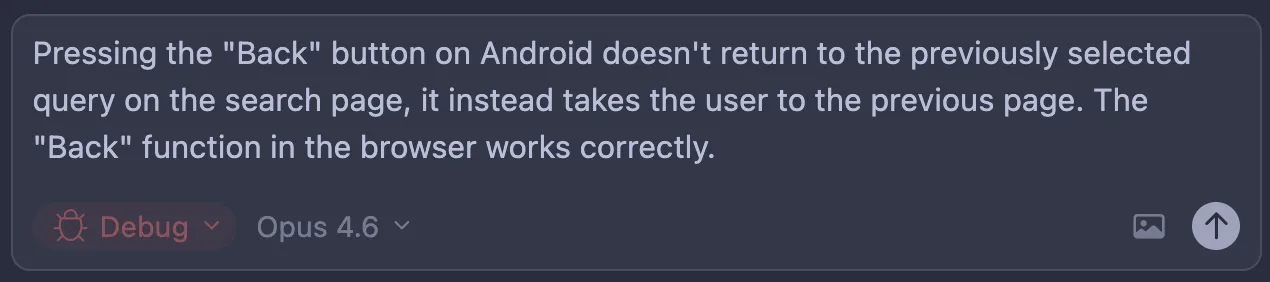
2. Explain the issue you have, send it, and give Cursor a moment. 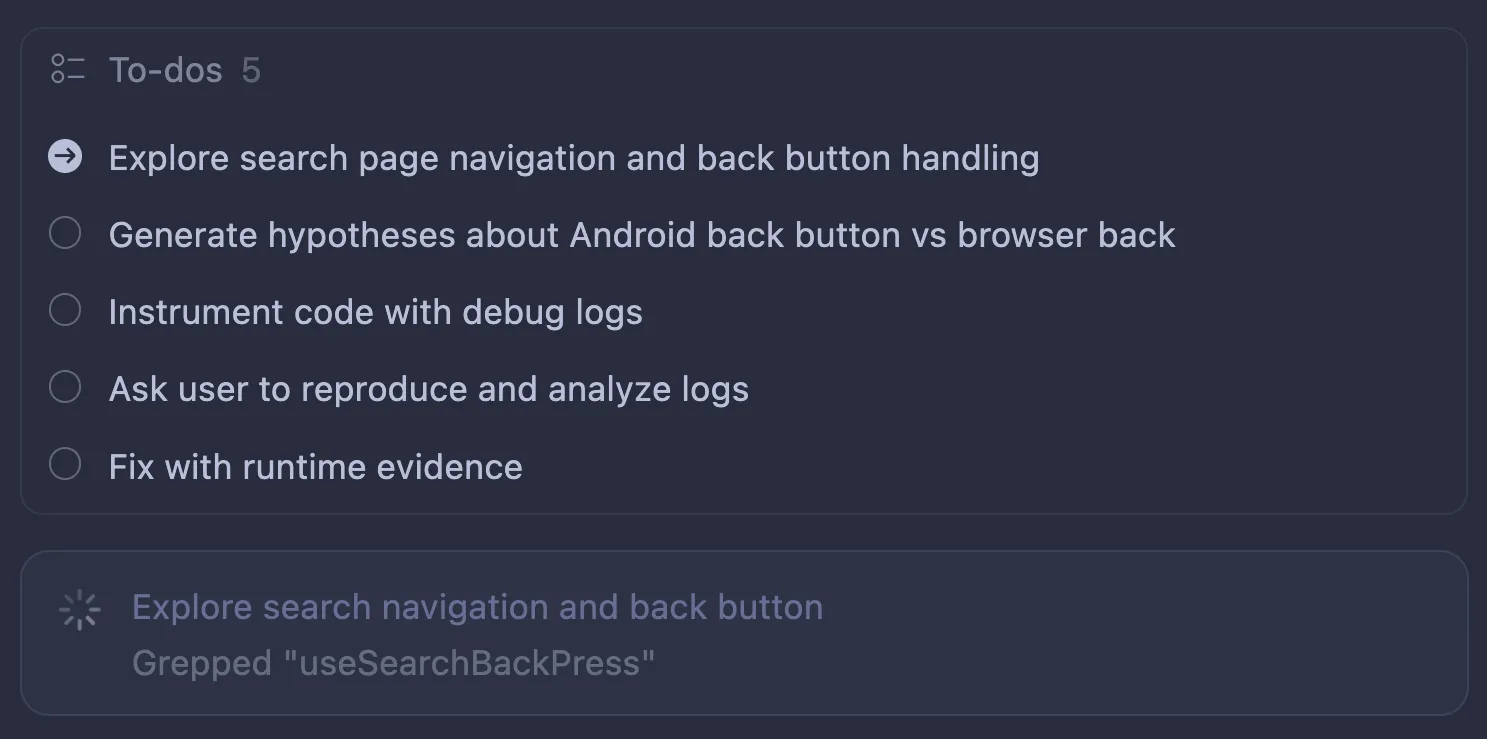
3. Now Cursor should form a few hypotheses (unless the root cause is clear, in which case it may implement a fix straight away).
4. Here is a fun thing: now it’ll add instrumentation to your code to verify which hypotheses are correct! Most of the time, it works by adding fetch requests to the local Cursor HTTP server, which writes everything to logs. Make sure Cursor has access to those logs.
1. If you are on an Android device, remember that you need to reverse ports to allow the app to access the Cursor server: `adb reverse tcp:7242 tcp:7242`
2. Sometimes it wants to write logs from the mobile app into your macOS directory - of course this is not possible, so you need to tell it to use a different approach.
3. If this can’t be instrumented by writing to file/web (for example, Android native code), it might use ADB logs with custom tags - you might need to copy and paste the logs when you reproduce the issue. 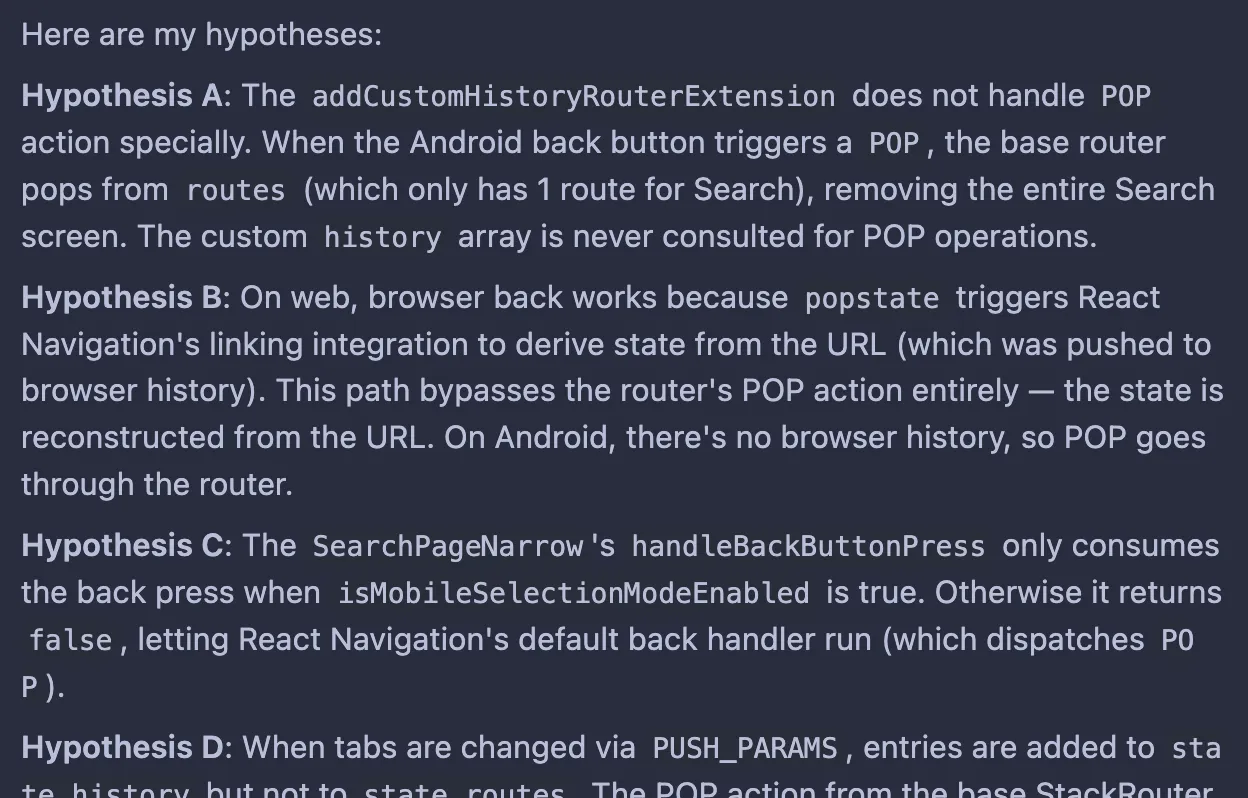
5. Now it’s your turn - it’ll ask you to reproduce the issue by giving the exact steps to follow. Cursor is collecting logs now. 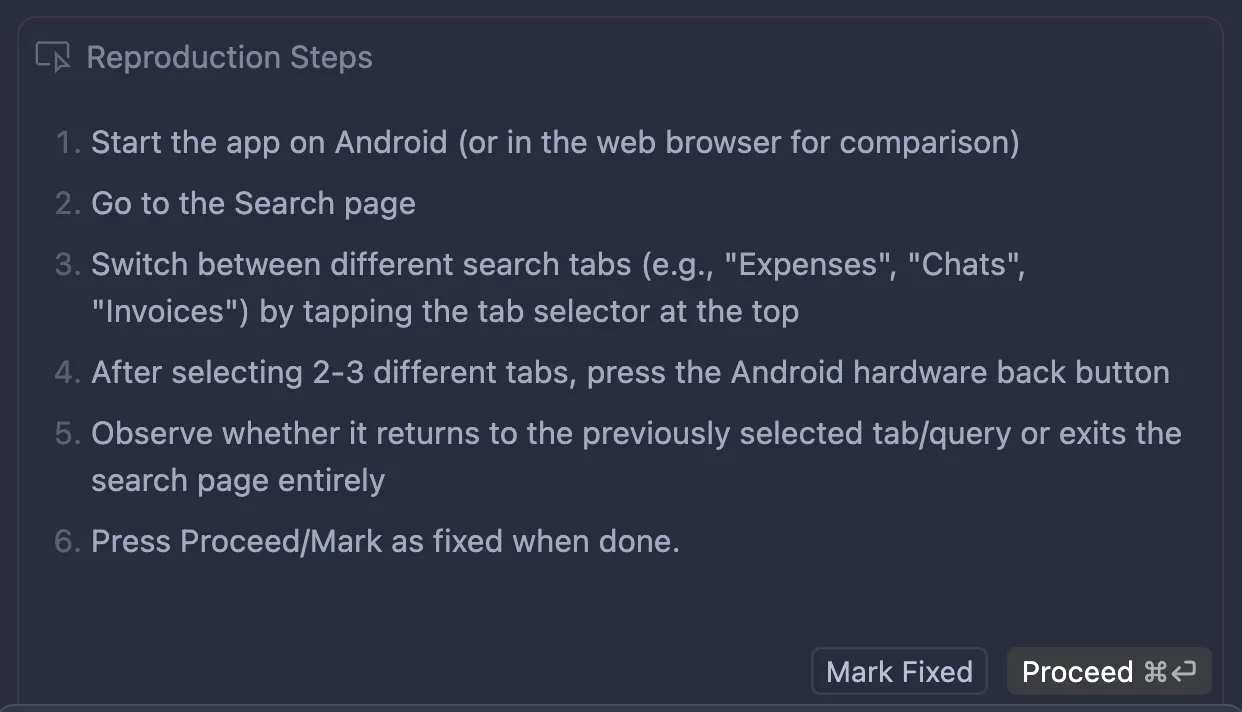
6. Click Proceed, and Cursor will analyze the logs. If it finds a root cause, it’ll fix it; if it needs one more round of testing, it’ll go back to point 3.
7. That’s it! It’s an easy but powerful way to address bugs in your code.
👏+1
…
## A first design implemented in 4 steps
[Section titled “A first design implemented in 4 steps”](#a-first-design-implemented-in-4-steps)
With the right tools, agents are good at turning Figma designs into rough code. If you’re building a web or mobile app, let’s try this.
1. Let’s draw a button component for your app UI. You can also prompt [Figma Make](https://www.figma.com/pl-pl/make/) to make one for you.
2. Set up Figma MCP, following these instructions:
* [Guide to the Figma MCP server](https://help.figma.com/hc/en-us/articles/32132100833559-Guide-to-the-Figma-MCP-server) 2025-05-15
* [How to set up the Figma remote MCP server](https://help.figma.com/hc/en-us/articles/35281350665623-Figma-MCP-collection-How-to-set-up-the-Figma-remote-MCP-server) 2025-09-29
3. In Figma, copy a link to a frame or layer.
4. In your coding agent, prompt the agent to `implement this button component [url] in ui/`
That’s it! The output code will very likely be a mess because you probably haven’t established conventions in the codebase yet. Refining it through review and follow-up prompts is your job.
If you’re curious, also check out:
* [From Claude Code to Figma: Turning Production Code into Editable Figma Designs](https://www.figma.com/blog/introducing-claude-code-to-figma/) * Figma.* 2026-02-17
👏+1
…
# Towards self-improvement
> Start adapting your repository to coding agents with a minimal `AGENTS.md` and a few simple setup conventions.
A large part of becoming productive with agents is learning how to *blend them with code*. Your agents need to adapt to the codebase, and your codebase needs to adapt to the agents. For example, you might not like the commit message an agent has just produced.
## AGENTS.md
[Section titled “AGENTS.md”](#agentsmd)
One way to steer agents toward the right behavior is to keep an `AGENTS.md` file in the repository root. This file is read by the agent in each thread and defines basic guidance for how it should operate.
You might see different variants of this file across tools — `GEMINI.md`, `COPILOT.md`, `AGENT.md`, `CLAUDE.md`, and others. **In practice, one file is enough: `AGENTS.md`.** It’s supported by nearly all coding agents except Claude Code, which still expects a separate `CLAUDE.md`.
The simplest way to keep both files in sync is to create a symlink (symbolic link) from `AGENTS.md` to `CLAUDE.md`, as described in [Claude integration](#claude-integration).
Keep this file minimal. Its role is to make sure the agent “does the right thing” every time, not to over-specify every step.
* Example1
```md
# [Project name]
## Rules
- you may be running in parallel with other agents; cooperate to avoid
conflicts, but avoid committing changes made by others
- add test coverage for new logic and regression fixes where practical
- run `npm lint` to format code and run linters; run `npm test` to run tests
- ignore any backward compatibility - break stuff everywhere if needed
```
Source: [Marek Kaput](https://github.com/mkaput) ’s template.
* Example 2
```md
# Sample AGENTS.md file
## Dev environment tips
- Use `pnpm dlx turbo run where «project_name»` to jump to a package
instead of scanning with `ls`.
- Run `pnpm install --filter «project_name»` to add the package to your
workspace so Vite, ESLint, and TypeScript can see it.
- Use `pnpm create vite@latest «project_name» -- --template react-ts` to
spin up a new React + Vite package with TypeScript checks ready.
- Check the name field inside each package's package.json to confirm the
right name - skip the top-level one.
## Testing instructions
- Find the CI plan in the .github/workflows folder.
- Run `pnpm turbo run test --filter «project_name»` to run every check
defined for that package.
- From the package root you can just call `pnpm test`. The commit should
pass all tests before you merge.
- To focus on one step, add the Vitest pattern:
`pnpm vitest run -t "«test name»"`.
- Fix any test or type errors until the whole suite is green.
- After moving files or changing imports, run
`pnpm lint --filter «project_name»` to be sure ESLint and TypeScript
rules still pass.
- Add or update tests for the code you change, even if nobody asked.
## PR instructions
- Title format: [«project_name»] «Title»
- Always run `pnpm lint` and `pnpm test` before committing.
```
Source: [agents.md](https://agents.md/) website.
### Claude integration
[Section titled “Claude integration”](#claude-integration)
Create a symbolic link for Claude:
```plaintext
ln -s AGENTS.md CLAUDE.md
```
This command creates a file `CLAUDE.md` that points to `AGENTS.md`. Claude will then read the same rules as all other agents without needing a separate copy.
If possible, commit both files to your repository.
👏+1
…
## More utilities await
[Section titled “More utilities await”](#more-utilities-await)
`AGENTS.md` is the simplest place to start because it gives you immediate leverage without adding much complexity.
As you get comfortable with that baseline, you can introduce more advanced utilities around the agent: skills for reusable workflows, more structured guidance such as [Cursor Rules](https://cursor.com/docs/context/rules) for larger codebases, and MCP integrations for connecting the model to external tools and services.
You do not need all of that on day one. For now, it is enough to know these mechanisms exist and become more useful once you already have a stable basic workflow.
When you are ready, continue with [Harness engineering](/becoming-productive/harness-engineering/), which covers these more advanced building blocks in detail.
👏+1
…
# What can AI agents even do?
> A quick capability checklist of what modern coding agents can do across code navigation, debugging, planning, and automation.
* Index, understand, and navigate your codebase by themselves.
* Search the internet.
* Connect to external services (see MCP, etc.).
* Instrument and debug your code (`console.log`-style debugging).
* Prepare an implementation plan for you.
* Read and analyze screenshots, videos, and even Figma designs.
* Automatically test changes (for example, in your browser!).