Towards self-improvement
AGENTS.md
Section titled “AGENTS.md”An essential aspect of becoming productive while working with agents is to blend them with code. Your agents need to adapt to the codebase, and your codebase needs to adapt to the agents. For example, you might not necessarily like the commit message that the agent has just produced.
One way to steer agents toward doing the right things is to have an AGENTS.md file in the repository root. This file is read by the agent in each thread.
-
Write a minimal
AGENTS.mdfile. The goal is just to steer the agent to do the right thing every time. Here is Marek Kaput ’s example template:# [Project name]## Rules- you may be running in parallel with other agents; cooperate to avoid conflicts, but avoid committing changes made by others- add test coverage for new logic and regression fixes where practical- run `npm lint` to format code and run linters; run `npm test` to run tests- ignore any backward compatibility - break stuff everywhere if neededHere is a good template from the agents.md website:
# Sample AGENTS.md file## Dev environment tips- Use `pnpm dlx turbo run where «project_name»` to jump to a package instead of scanning with `ls`.- Run `pnpm install --filter «project_name»` to add the package to your workspace so Vite, ESLint, and TypeScript can see it.- Use `pnpm create vite@latest «project_name» -- --template react-ts` to spin up a new React + Vite package with TypeScript checks ready.- Check the name field inside each package's package.json to confirm the right name - skip the top-level one.## Testing instructions- Find the CI plan in the .github/workflows folder.- Run `pnpm turbo run test --filter «project_name»` to run every check defined for that package.- From the package root you can just call `pnpm test`. The commit should pass all tests before you merge.- To focus on one step, add the Vitest pattern: `pnpm vitest run -t "«test name»"`.- Fix any test or type errors until the whole suite is green.- After moving files or changing imports, run `pnpm lint --filter «project_name»` to be sure ESLint and TypeScript rules still pass.- Add or update tests for the code you change, even if nobody asked.## PR instructions- Title format: [«project_name»] «Title»- Always run `pnpm lint` and `pnpm test` before committing.It is rather important to keep this file relatively short but dense in crucial hints. If a piece of information is one
lsorcatcall away, it can be skipped.Below, you can see an example of what NOT to include.
message# Command Reference```bash# Install dependenciesnpm install# Clean build artifactsnpm run clean# Type checkingnpm run typecheck# Lintingnpm run lint```# Structure- `src/SCREENS.ts`: Screen name constants- `src/ROUTES.ts`: Route definitions and builders- `src/NAVIGATORS.ts`: Navigator configurationYou can follow these rules from Claude docs :
✅ Include ❌ Exclude Bash commands Claude can’t guess Anything Claude can figure out by reading code Code style rules that differ from defaults Standard language conventions Claude already knows Testing instructions and preferred test runners Detailed API documentation (link to docs instead) Repository etiquette (branch naming, PR conventions) Information that changes frequently Architectural decisions specific to your project Long explanations or tutorials Developer environment quirks (required env vars) File-by-file descriptions of the codebase Common gotchas or non-obvious behaviors Self-evident practices like “write clean code” -
Run
ln -s AGENTS.md CLAUDE.mdbecause Anthropic refuses to adopt someone else’s standards. -
Both the file and symlink should be committed to the repo.
Skills
Section titled “Skills”Agent Skills is an open standard for extending AI agents with specialized capabilities. Skills package domain-specific knowledge and workflows that agents can use to perform specific tasks.
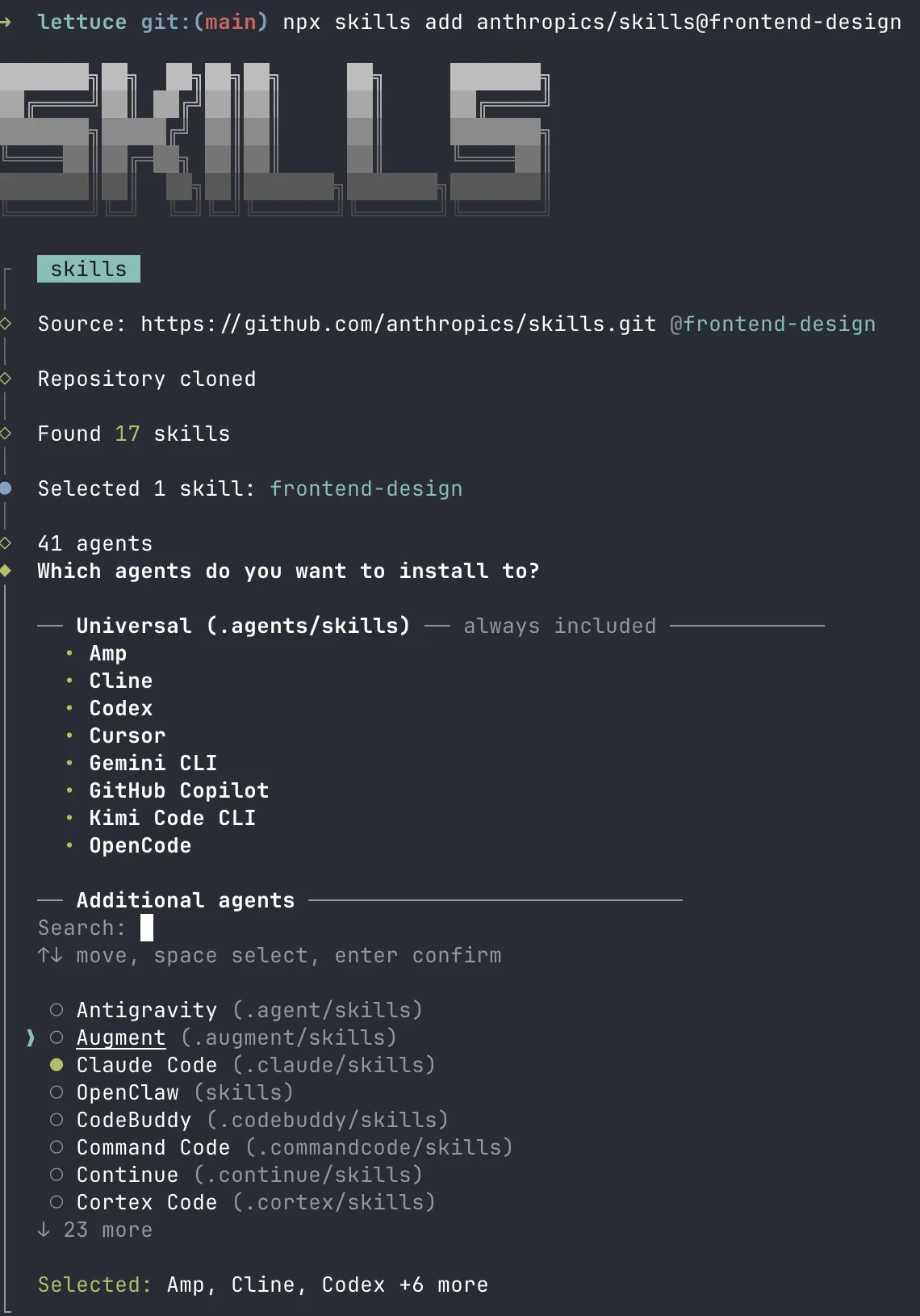
We can’t tell you upfront what skills you might need without knowing what you’re working on (because skills are domain-specific). Fortunately, you don’t need to worry about where to put skill files or how each harness expects them to be structured. The interactive CLI npx skills handles all of that — it pulls skills from the skills.sh directory and installs them in the right format for 40+ agent harnesses, including Claude Code, Cursor, Amp, Codex, Gemini CLI, GitHub Copilot, and many more.